Access-Control-Allow-Origin: The CORS Guide for APIs

Access-Control-Allow-Origin is the HTTP response header that tells a browser whether a web page running on one origin is allowed to call your API on a different origin. It is the central piece of the Cross-Origin Resource Sharing (CORS) protocol, and it is the header you change when a frontend developer pings you with the message: “I’m getting a CORS error.”

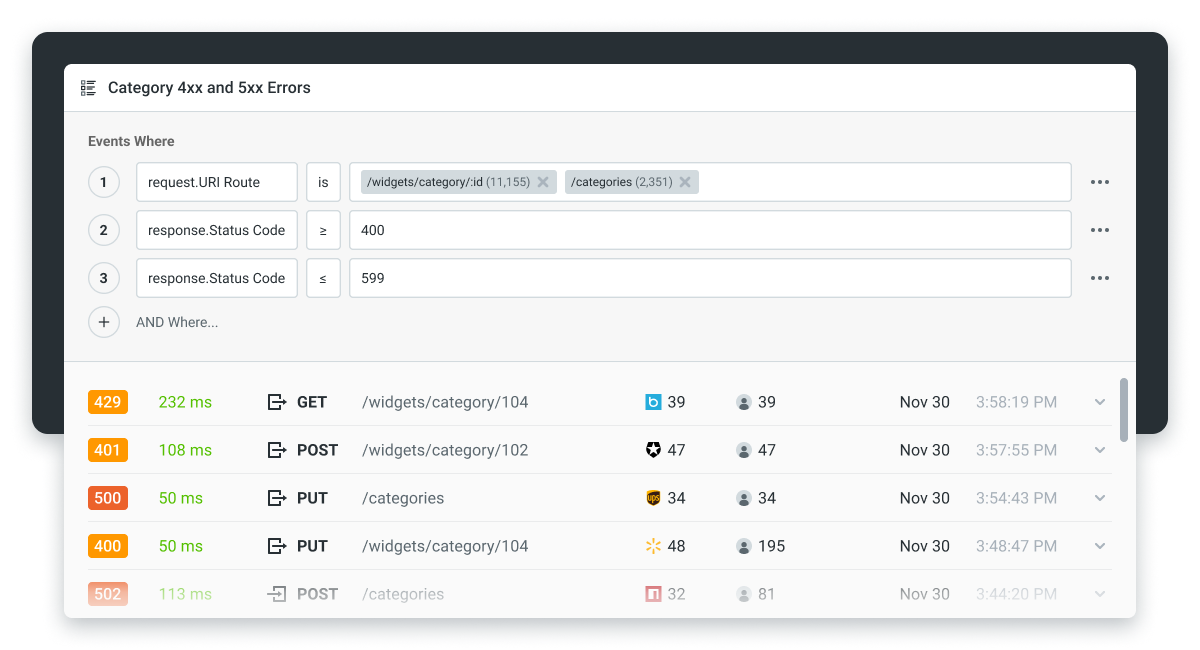
This guide covers what the header actually does, how to set it correctly on your API, the wildcard trap that breaks credentialed requests, and the common errors you will see in the browser console. It is written for backend engineers who own the API and have a frontend team that depends on getting CORS right.
What is Access-Control-Allow-Origin?
Access-Control-Allow-Origin (often abbreviated as ACAO) is a response header your server sends back to the browser. Its value tells the browser which origin (scheme + host + port) is allowed to read the response.
Two valid values:
- A specific origin, like
https://app.example.com. The browser will let only pages served from that exact origin read the response. - The wildcard
*. The browser will let any origin read the response, but with a major restriction: credentialed requests (cookies, HTTP auth, client certificates) are blocked.
That is the whole header. Everything complicated about CORS comes from the interactions between this header, the browser’s Same-Origin Policy, and the rest of the CORS protocol.
Why CORS exists (the Same-Origin Policy in one paragraph)
By default, the browser enforces a Same-Origin Policy: JavaScript running on https://app.example.com cannot read responses from https://api.different.com. This protects you against a malicious site reading your bank balance just because you happen to be logged in. CORS is the standardized way an API can say “I trust this specific other origin, let it read my responses.” The Access-Control-Allow-Origin header is how the API says it.
“Origin” in CORS terms is a specific tuple: scheme + host + port. https://app.example.com and http://app.example.com are different origins (different scheme). https://app.example.com and https://app.example.com:8443 are different origins (different port). https://app.example.com and https://www.example.com are different origins (different host). All three pairs require explicit CORS allowance to call each other from the browser. The strictness is deliberate: the moment the browser starts treating “close enough” origins as the same, the security model breaks.
CORS is the W3C standardization of what was previously a patchwork of cross-domain workarounds (JSONP, document.domain manipulation, postMessage relays). The current spec lives at the Fetch Standard at WHATWG and the relevant W3C CORS specification. Mozilla’s MDN documentation is the canonical reference for day-to-day work and is what most teams cite in code reviews.
How a CORS request actually works
There are two flavors of CORS requests: simple and preflighted.
A simple request is a GET, HEAD, or POST with a few specific content types (application/x-www-form-urlencoded, multipart/form-data, or text/plain) and no custom headers. The browser sends the request directly. The server includes Access-Control-Allow-Origin in the response. The browser checks the header against the page’s origin and either lets the JavaScript read the response or blocks it.
Everything else triggers a preflight. Before sending the actual request, the browser sends an OPTIONS request to the same URL with these headers:
Origin: https://app.example.comAccess-Control-Request-Method: PUTAccess-Control-Request-Headers: Authorization, Content-Type
The server responds (without a body) including:
Access-Control-Allow-Origin: https://app.example.comAccess-Control-Allow-Methods: GET, POST, PUT, DELETEAccess-Control-Allow-Headers: Authorization, Content-TypeAccess-Control-Max-Age: 86400(optional, caches the preflight response)
Only if the preflight succeeds does the browser send the actual request. If the preflight fails (wrong origin, method, or header in the allowlist), the actual request never happens and the JavaScript sees a CORS error.
This matters because CORS errors are almost always preflight failures. The browser console will tell you which preflight check failed; reading the message carefully usually points you straight at the misconfiguration.
A request triggers a preflight when any of the following is true: the method is PUT, PATCH, DELETE, CONNECT, TRACE, or OPTIONS (or POST with a non-standard content type); the request includes a Content-Type other than the three “safe” ones above; the request sets any custom header (including the common Authorization and X-Requested-With); the request includes credentials (cookies, basic auth, client certificates) while using a wildcard origin. In modern apps using JSON bodies and bearer tokens, essentially every non-GET call triggers a preflight, so designing the preflight response correctly matters more than the original spec’s “simple request” optimization suggests.
How to set Access-Control-Allow-Origin correctly
The right configuration depends on your framework. A few common patterns.
Express (Node.js):
import cors from 'cors';

app.use(cors({
  origin: ['https://app.example.com', 'https://admin.example.com'],
  credentials: true,
  methods: ['GET', 'POST', 'PUT', 'PATCH', 'DELETE'],
  allowedHeaders: ['Content-Type', 'Authorization'],
}));
FastAPI (Python):
from fastapi.middleware.cors import CORSMiddleware

app.add_middleware(
    CORSMiddleware,
    allow_origins=["https://app.example.com", "https://admin.example.com"],
    allow_credentials=True,
    allow_methods=["GET", "POST", "PUT", "PATCH", "DELETE"],
    allow_headers=["Content-Type", "Authorization"],
)
Spring (Java):
@CrossOrigin(
  origins = {"https://app.example.com", "https://admin.example.com"},
  allowCredentials = "true",
  methods = {RequestMethod.GET, RequestMethod.POST, RequestMethod.PUT, RequestMethod.DELETE}
)
@RestController
public class ApiController { /* ... */ }
The patterns to follow regardless of framework:
- List explicit allowed origins, not
*, for any production API that handles authenticated requests. The wildcard is a development convenience that does not survive contact with credentialed traffic. - Cache the preflight with
Access-Control-Max-Age. Without it, the browser sends anOPTIONSbefore every actual request, doubling your request volume. The maximum useful value is 86400 (24 hours) on Firefox and 7200 (2 hours) on Chrome; values higher than those are clamped by the browser. - Apply CORS at the gateway, not in every service. API gateways (the WSO2 API Gateway, Kong, AWS API Gateway, Envoy) all handle CORS centrally. Doing it per-service is how teams end up with inconsistent CORS behavior across endpoints.
- Avoid reflecting the origin without an allowlist. A surprisingly common pattern is
Access-Control-Allow-Origin: <whatever Origin header the request sent>, which effectively makes your API accept any origin while pretending not to. Always check against an explicit allowlist before reflecting. - Do not forget
Vary: Originwhen the response varies by origin. Without it, CDNs and HTTP caches can serve a response built for origin A to a request from origin B, which silently breaks CORS for the second caller.
Preflight caching with Access-Control-Max-Age
The preflight OPTIONS request is the biggest hidden cost of CORS. Without caching, the browser sends an OPTIONS before every cross-origin request that triggers preflight, which in modern apps means before every non-GET call. Two requests for every actual call doubles the request volume against your API gateway and adds a round-trip of latency to every user-visible action.
Access-Control-Max-Age is how you tell the browser to cache the preflight response. Set it on the OPTIONS response:
Access-Control-Max-Age: 7200
That tells the browser it can skip the preflight for the next 7,200 seconds (2 hours) for the same origin / method / header combination. The browser caps the effective value: Chromium-based browsers (Chrome, Edge) cap at 7,200 (2 hours), Firefox at 86,400 (24 hours), and historical Chromium versions before v76 capped at only 600 seconds. Setting Access-Control-Max-Age: 86400 is fine (every browser will clamp it down to its own ceiling) and that is the value most production APIs use.
A few things to know about how this caches. The cache is keyed by origin + method + header set, so if your frontend sometimes calls PUT /orders and sometimes calls DELETE /orders, each method needs its own preflight cached separately. Adding a custom request header (a tracing header, a feature-flag header) invalidates the cache for that combination. The cache lives in the browser, not in your CDN; switching browsers or clearing browsing data drops it, and the cache scope can vary across browsers (per-profile, sometimes per-context), which is why you sometimes see preflights re-fire from what looks like the same session.
When you change CORS configuration, the cached preflight is what makes the change slow to take effect for existing users. New users see the new config immediately; users with a cached preflight will keep using the old policy until the cache expires. For high-impact CORS changes (tightening an allowlist), this matters: a cached Access-Control-Allow-Origin: * will keep working for hours after you switch to a specific origin server-side.
Multiple origins: why you cannot list more than one
The CORS specification only allows one origin or * in the Access-Control-Allow-Origin header. You cannot return Access-Control-Allow-Origin: https://app.example.com, https://admin.example.com and have it work.
The standard workaround is to check the incoming Origin request header against your allowlist server-side, and reflect it back if it matches. Most framework CORS libraries (the Express and FastAPI examples above) do this automatically: you give them a list of origins, and they reflect whichever one matches the incoming request.
When you reflect the origin, you should also send Vary: Origin so caches do not serve the wrong response to the wrong origin.
Credentialed requests and the wildcard trap
This is the single most common CORS mistake.
If your API uses cookies, HTTP authentication, or client certificates for authentication, the browser treats those requests as credentialed. For credentialed requests, the CORS spec has stricter rules:
Access-Control-Allow-Origincannot be*. It must be a specific origin.Access-Control-Allow-Credentials: truemust be present in the response.
If either of those is wrong, the browser blocks the response. The developer sees a CORS error that mentions credentials.
The symptom: a GET request that works fine in tools like Postman fails from the browser with a credentials-related CORS error. The fix is almost always replacing * with the specific origin and adding the credentials header.
A related trap: the frontend must also opt into credentials. With fetch, that means credentials: 'include'; with axios, that means withCredentials: true. If only one side opts in (browser sends credentials but server does not allow them, or vice versa), the browser blocks the response and the error message is often misleading. Both sides have to agree.
For modern applications using cookie-based session auth, also set the cookie’s SameSite attribute correctly. A cookie marked SameSite=Strict will not be sent in cross-origin requests at all, no matter what CORS says. Use SameSite=None; Secure for cross-origin cookies, and recognize that this requires HTTPS.
CORS vs. CSRF: same problem space, different protection
CORS gets confused with Cross-Site Request Forgery (CSRF) often enough that it is worth separating them, because the protections do not overlap.
CSRF is the attack where a malicious page tricks a user’s browser into making a state-changing request to your API while the user is authenticated. The classic example: the user is logged into their bank with a session cookie, visits a malicious page, and that page’s JavaScript submits a form to bank.com/transfer; the browser sends the user’s cookie along with the request, and the transfer goes through because the bank cannot tell the difference between this request and a legitimate one.
CORS is a browser policy that controls who can read responses from your API. CORS does not block the request from being sent. A relaxed CORS policy makes some classes of CSRF easier to exploit (because an attacker can now read responses), but a strict CORS policy does not, by itself, prevent CSRF. The browser will still send the cookie and the server will still execute the request before CORS kicks in to block the response.
The protections that actually defend against CSRF:
SameSitecookie attribute.SameSite=Strictblocks the cookie on all cross-site requests, including top-level navigation.SameSite=Lax(the modern default) blocks it on cross-site sub-requests like form POSTs and image loads, but still sends it on top-level navigation, which is enough to defeat the classic form-submission CSRF vector. Either setting is a substantial improvement over the older default of sending the cookie on every cross-site request.- CSRF tokens. A per-session token that the server issues and the legitimate frontend includes in each state-changing request. The malicious cross-origin page cannot read the token (CORS blocks that), so it cannot include it. Frameworks like Django and Rails generate these by default.
- Double-submit cookies. A pattern where the server sets a token in both a cookie and a header, and the API validates that they match. Works in stateless APIs that cannot store per-session state server-side.
- Bearer-token auth in headers. APIs that authenticate via
Authorization: Bearer ...instead of cookies are not vulnerable to CSRF the same way, because the browser does not auto-attach the header on cross-origin requests.
The right way to think about it: CORS controls response reading and SameSite/CSRF tokens control request authorization. If your API uses cookies, you need both. CORS alone does not stop CSRF, and CSRF protections alone do not stop the cross-origin scripting attacks that CORS was designed to prevent.
Advanced CORS configurations: subdomains, dynamic origins, regex
A few patterns come up often enough in production that they are worth calling out.
Allowing a subdomain wildcard. The CORS spec does not understand *.example.com as a value for Access-Control-Allow-Origin. To support all subdomains, your server has to parse the incoming Origin header, check that it matches a subdomain of your apex domain, and reflect it back. Every CORS library worth using (Express’s cors, FastAPI’s CORSMiddleware, Spring’s @CrossOrigin) supports this via a regex or function-based origin check.
Allowing different origins for different routes. A single API may serve a public, unauthenticated set of endpoints (wide-open CORS, * is fine) alongside an authenticated set (strict allowlist, credentialed). The cleanest pattern is to configure CORS per-route at the gateway, not as a single global policy. Both Kong and the WSO2 API Gateway support per-route CORS plugins; AWS API Gateway supports per-resource CORS configuration.
Local development with localhost. http://localhost:3000 is a different origin from https://app.example.com, and your production allowlist usually does not include localhost. The pattern is to add localhost only in development and staging environments, never in production. A common subtle bug is forgetting that 127.0.0.1 and localhost are different origins in the CORS sense; whitelist both if your dev environment uses either.
Dynamic origins from an allowlist database. SaaS multi-tenant apps where each tenant has a custom domain need the allowlist to be loaded from a database rather than a static config. The CORS middleware then takes a callback function that checks the incoming Origin against the dynamic list. Cache the lookup aggressively; the CORS preflight runs on the hot path for every cross-origin request.
Reverse proxies and the Origin header. Some reverse proxies (older NGINX configurations, some Cloudflare setups) strip the Origin header from forwarded requests. If your CORS logic depends on reading Origin, this breaks it silently. Verify the header is reaching your application before debugging the CORS config itself.
Common CORS errors and how to read them
The browser console messages are verbose but informative. The patterns to recognize:
- “No ‘Access-Control-Allow-Origin’ header is present on the requested resource.” The server did not send the header. Either CORS is not configured, or it is configured but the request did not match (wrong origin, wrong path).
- “The ‘Access-Control-Allow-Origin’ header has a value ‘X’ that is not equal to the supplied origin.” Your allowlist does not include the calling page’s origin. Add it.
- “The value of the ‘Access-Control-Allow-Origin’ header in the response must not be the wildcard ‘*’ when the request’s credentials mode is ‘include’.” Credentialed-request wildcard trap. Switch to an explicit origin.
- “Request header field X is not allowed by Access-Control-Allow-Headers in preflight response.” The frontend is sending a header your CORS config does not list. Add it to
Access-Control-Allow-Headersserver-side. - “Method X is not allowed by Access-Control-Allow-Methods in preflight response.” Same thing for HTTP methods. Add
PUT,PATCH, orDELETEif your API uses them.
The first place to look when debugging is the browser’s Network tab, specifically the response headers on the failed OPTIONS preflight. Eight times out of ten, the missing header is right there. Pairing the browser tab with a real-time view of HTTP status codes and headers your API is returning makes this even faster, because you can see exactly which preflight requests are failing without re-creating the issue.
CORS in 2026: AI agents, MCP servers, and same-origin questions
A few new questions came up in the last two years.
Do AI agents respect CORS? Not the way browsers do. CORS is a browser-enforced policy. An AI agent calling your API directly from a server (Python, Node, a serverless function) is not subject to CORS at all. The Same-Origin Policy is a browser concept; server-to-server calls do not have origins in the CORS sense.
Does MCP traffic care about CORS? Mostly no. MCP servers expose APIs to AI agents through a server-side runtime, not the browser. If you are designing an API endpoint to be consumed both by browser JavaScript and by MCP-mediated agent calls, configure CORS for the browser path and treat the MCP path as a separate, authenticated channel.
Does the LLM-fetcher pattern trigger CORS? When a model calls your API as part of a chain inside an LLM provider’s runtime, the call originates from the provider’s servers, not the user’s browser. No CORS preflight. Authenticate it like any other server-to-server call.
The short version: CORS is still important for the browser-facing slice of your API. The growing agent and MCP traffic does not have a CORS concept, but it does have its own auth and rate-limiting concerns, which are worth a separate guide.
How to test CORS configuration before shipping
CORS bugs that survive code review tend to be ones that work locally and fail in production because the production origin is different. A few practical checks before pushing a CORS change:
- Test from at least two origins. A configuration that works from
https://app.example.commay fail fromhttps://staging.example.comif your allowlist is hardcoded. Run the smoke test from every origin that is supposed to work. - Test both credentialed and non-credentialed requests. A wildcard configuration that “works” for unauthenticated GETs will fail the moment an authenticated POST hits the API. Cover both paths in your test suite.
- Use the browser, not just
curl.curldoes not enforce CORS. A request can passcurland fail the browser. The only meaningful end-to-end test is a real browser fetch from a real origin. - Check the preflight response in the Network tab. The
OPTIONSpreflight is the first request the browser sends. If its response is missing any required CORS header, the subsequent real request never happens. Most CORS bugs are visible in the preflight response alone. - Verify
Vary: Originon responses if you reflect the origin. Without it, the first cached response will serve every subsequent caller, including ones from blocked origins.
Where to take this next
Once your CORS configuration is right, the only way to know whether browser clients are actually getting what they need is to watch real production traffic. Start a 14-day Moesif free trial to see per-origin, per-endpoint request volume and any 4xx responses coming back to browsers. No credit card required.
Frequently asked questions
What does Access-Control-Allow-Origin do? It tells the browser which origin is allowed to read responses from your API. Without it, the browser blocks cross-origin JavaScript from accessing the response.
Can I set Access-Control-Allow-Origin to multiple origins? Not in one value. The spec allows exactly one origin or the wildcard *. To support multiple origins, check the incoming Origin header against your allowlist server-side and reflect whichever one matches.
What is the wildcard in CORS? Setting Access-Control-Allow-Origin: * allows any origin to read the response. It breaks credentialed requests (cookies, HTTP auth), so it is fine for public read-only APIs but inappropriate for anything authenticated.
Why does my CORS work in Postman but not the browser? Postman does not enforce CORS because it is not a browser. The Same-Origin Policy is browser-only. If something works in Postman and fails in the browser, your CORS configuration is incomplete.
How do I fix the “No ‘Access-Control-Allow-Origin’ header is present” error? Configure your server or gateway to send the Access-Control-Allow-Origin header on responses, with either a specific origin matching the calling page or * for fully public APIs.
Where should CORS be configured: the application or the gateway? The gateway, if you have one. Centralized CORS configuration at the API gateway prevents drift between services and makes the policy visible to your security team. API design principles lists this as the default for the same reason.

Related Articles

API Strategy
Leveraging AI For a Better API Strategy
Learn how to leverage AI to build and fortify your API strategy. Improve design, governance, documentation, and align APIs with business outcomes.
API Strategy
The 5 Best Mixpanel Alternatives of 2025
Learn about the best Mixpanel alternatives to determine the right analytics solution for your use case.

API Development
How to Leverage Moesif Effectively for API Observability
Effectively leverage Moesif for API observability through best practices for integration, event enrichment, custom actions, and engineering workflow integrat...
API Strategy
How to Build an Internal Chargeback Model for Your API and AI Usage Using Moesif
Use Moesif to implement internal chargebacks and enable precise API and AI cost attribution for better transparency and resource optimization.