REST API Tutorial: Build Your First API with Node.js (2026)

REST is still the default way to build an API in 2026. GraphQL has a foothold for complex client-side data fetching, gRPC is common inside service meshes, and MCP is emerging for AI agent traffic, but if you are exposing a public API for outside developers to integrate with, a REST API over HTTP is what they expect.
This tutorial walks through what REST actually means, the six constraints that define it, the HTTP methods you will use every day, and how to build a working REST API from scratch with Node.js and Express. By the end you will have an API running locally with GET, POST, PUT, and DELETE endpoints that you can extend into a real product.

What is a REST API?
A REST (Representational State Transfer) API is a mechanism that allows different software applications to communicate with each other over the internet or local network. REST APIs follow specific rules and standards that enable applications and users to use HTTP requests to access and use data. The data sent and received by a REST API is generally in the JSON (JavaScript Object Notation) format. Data sent is a request, and the data received from the API call is called the response. Two main characteristics of RESTful APIs:
- Stateless interactions: Each request from a client to a server must contain all the information needed to understand and process the request. The server does not store any session information about the client.
- Uniform interface: A REST API is designed to use standard HTTP methods and should be easy for any developer familiar with HTTP.
Why use a REST API?
Many different types of APIs are available; however, RESTful APIs have become the go-to technology for almost every API in production today. This is not by chance but due to the simplicity and scalability of implementing and supporting REST technologies. The sheer amount of frameworks and technologies available to develop and support REST APIs alone is an excellent advantage over other popular API technologies. The benefits REST APIs bring to developers:
- Scalability: Due to their stateless nature, REST APIs can handle multiple types of calls, return different data formats, and even change structurally with the correct implementation of hypermedia.
- Flexibility and portability: Data is not tied to resources or methods, allowing more flexibility in its representation. This makes REST APIs suitable for different types of applications.
- Independence: The separation between client and server allows for development across various parts of an application to coincide with less dependency on each other.
Key features of REST APIs
REST APIs are built around six fundamental principles, sometimes called Roy Fielding’s REST constraints.
- Uniform interface: This principle simplifies the architecture by establishing a standard communication method for clients and servers. This uniformity decouples clients from the server, allowing them to evolve independently as long as the interface remains consistent.
- Client-server separation: The separation of concerns enhances the portability of the user interface across multiple platforms and improves scalability by simplifying the server components. The client and the server operate independently, and changes on one side do not directly impact the other.
- Statelessness: In a stateless architecture, each client request must contain all the necessary information for the server to process it. The server does not store any state about the client session between requests, which simplifies design and increases reliability.
- Cacheable: Making responses cacheable can significantly improve performance by reducing the need for clients to fetch the same data repeatedly. Proper caching management helps ensure clients have up-to-date information and reduces the load on the server.
- Layered system: This principle allows an architecture to consist of hierarchical layers by restricting the behavior of components in each layer. Clients interact with a layer without knowing whether it is the end server or an intermediary. This adds flexibility and scalability to the system.
- Code on demand (optional): This constraint allows servers to extend or customize the functionality of a client by sending executable code (such as JavaScript). It can reduce the client’s complexity by offloading some functionality to the server, but it is less common than the other constraints.
REST API methods
Most developers are familiar with HTTP verbs. Because of this, understanding REST API methods is quite simple. REST APIs use the standard HTTP methods that developers (and most technical people) already know. Each method is intended to perform specific functions:
- GET: Requests data from a specified resource. It should only retrieve data and should have no other effect.
- POST: Sends data to the server for creation. It is often used when uploading a file or submitting a completed web form.
- PUT: Updates all current representations of the target resource with the uploaded content.
- DELETE: Removes the specified resource.
- HEAD: Similar to GET, but only transfers the status line and the header section.
- PATCH: Applies partial modifications to a resource.
Each method corresponds to the CRUD (Create, Read, Update, Delete) operations in database management. For a full explainer on the codes the server returns alongside these methods, see our HTTP status codes guide.
Advantages of REST APIs
REST APIs are known for their simplicity and flexibility. They use standard HTTP methods that are universally understood and easy to work with. This universal approach to web communication allows for platform independence, making REST APIs compatible across different systems and languages.
One of their key strengths is scalability, thanks to their stateless nature, which simplifies server architecture by not requiring the server to maintain a session state. REST APIs are also performant and efficient because responses can be cached to minimize data transfers. The portability and ease of integration of REST APIs facilitate the development of distributed systems and microservices, aided by massive communities and tooling support due to the widespread adoption of REST technologies.
Challenges when using REST APIs
REST APIs come with specific challenges. The statelessness of REST can lead to larger requests because all necessary data must be included in each one. This also creates issues like data overfetching and underfetching, which can impact performance: multiple requests may be needed to gather all data, or excessive data may be returned unnecessarily.
Security is a potential challenge, requiring proper implementation of authentication and data transfer security practices to keep data secure. Versioning of REST APIs can be complex, with changes potentially breaking backward compatibility. At scale, REST APIs might experience performance bottlenecks due to HTTP/HTTPS overhead. The lack of a strict standard in REST implementation can also lead to inconsistencies across different APIs, which is why following API design principles matters.
How to build a REST API
Now that we have reviewed the basics, it is time to build one. The example below shows a straightforward implementation of a REST API with Node.js and Express. No actual CRUD operations are being done within the endpoints, but you can use this code as the starting point for those functionalities. Let’s start by setting up the environment and then build out a few endpoints.
Step 1: Setting up the environment
- Install Node.js: Ensure you have Node.js installed. You can download it from nodejs.org.
- Initialize your project:
- Create a directory for your project.
- Navigate to this directory in your command line and run
npm initto create apackage.jsonfile.
Step 2: Installing Express
Since this API project will use Express, we must install it within our project using npm. To do this, run npm install express in your project directory. Once the command is complete, Express will be installed and ready for us to use.
Step 3: Creating your server (server.js)
Now, we will begin to implement the actual API code. First, we need to set up the basic infrastructure for our app. Create a file named server.js and add the following code:
const express = require('express');
const app = express();
app.use(express.json()); // This middleware is used to parse JSON bodies.

app.listen(3000, () => console.log('Server running on port 3000'));
In the code above:
require('express')imports the Express module.express()initializes a new Express application.app.use(express.json())is middleware to parse JSON request bodies.app.listen(...)starts the server on port 3000.
If we were to run the app right now, our service would be able to start, but we would have no API endpoints for users to use. Next, we will implement some endpoints.
Step 4: Implementing RESTful endpoints
When creating APIs, having multiple endpoints that achieve various tasks makes sense. We need to use the HTTP methods we covered earlier for CRUD APIs. The methods include GET, POST, PUT, and DELETE; each corresponds with a different CRUD operation. Below is an example of each type of endpoint. This code can be added inside our Express project after the app.use() statement.
GET endpoint
First, we will implement the GET endpoint that fetches data from the server. The basic structure:
app.get('/api/items', (req, res) => {
  res.send('List of items');
});
In the app.get(...) statement, we define our GET route. When a GET request is made to /api/items, the callback function is executed. In the case above, we return a string using res.send(). In a more functional endpoint, you would go off to some resource (such as a database) and return real data.
POST endpoint
Next, the POST endpoint, which contains the logic to add new data to the server:
app.post('/api/items', (req, res) => {
  const newItem = req.body; // Data sent in the request body.
  res.send(`Item added: ${newItem.name}`);
});
The app.post(...) function handles POST requests. The req.body contains the data sent in the request and is sent back in the response. In a more functional endpoint, you would write some data to a database and return a confirmation (such as created: true or the ID of the newly created entity).
PUT endpoint
Now, a PUT endpoint that will update existing data:
app.put('/api/items/:id', (req, res) => {
  const itemId = req.params.id; // Access URL parameter.
  res.send(`Item with ID ${itemId} updated`);
});
The app.put(...) handles PUT requests. The ID of the resource to update is often passed as a query parameter or URI parameter. We use req.params.id to fetch the id parameter from the URL. In a real-life implementation, you would make a database call to update the resource, with data usually found in the request body, and then return a boolean stating whether the update was processed.
DELETE endpoint
Finally, a DELETE endpoint that removes data from the server:
app.delete('/api/items/:id', (req, res) => {
  const itemId = req.params.id;
  res.send(`Item with ID ${itemId} deleted`);
});
The app.delete(...) method handles DELETE requests. Like PUT, it uses req.params.id to determine which item to delete. In a more functional application this would also call out to a database to delete the specified resource.
Step 5: Testing your API
With our API built, the next step is to get it running on our local system and test it with Postman. Let’s look at the individual steps.
Set up and run your API
You must ensure your Node.js server is running to access your API endpoints. From the root of your project, run node server.js in a terminal.
Configure Postman
Next, download and install Postman (or Insomnia, if you prefer) to issue requests to our endpoints. Once installed, create a request by clicking “New”, then “Request”, and saving it to a new or existing collection.
Test your API endpoints
Issue a request for each endpoint with the appropriate method selected:
- To test GET: Select GET, input your endpoint (for example,
http://localhost:3000/api/items), and click Send to view the response. - To test POST: Switch to POST, add your data in the request body in JSON format, and send the request to check the response.
- To test PUT and DELETE: Repeat similar steps for PUT (to update data) and DELETE (to remove data), ensuring you include the item ID in the endpoint URL.
Analyze responses
As you test each endpoint, check that the responses for each request in Postman are correct. Successful operations typically return status codes like 200 OK or 201 Created. If there are errors, use the response details and your server console logs to debug. If your endpoints are changing resources in a database, check that the correct actions have occurred there too.
Where REST still wins in 2026
A few words on REST in the current API landscape, because 2026 introduced real alternatives.
REST is still the best default for public APIs. Nearly every web developer has worked with REST at some point. The tooling (Postman, OpenAPI, every HTTP client in every language) targets REST first. If your buyer is a developer integrating your API for the first time, REST is the lowest-friction choice.
GraphQL still wins for complex client-side data fetching. When the client needs to pull deeply nested, customer-specific shapes of data in a single round trip, GraphQL beats REST. For most B2B APIs, the round-trip count never matters enough to justify the operational overhead.
gRPC wins inside service meshes. If both ends of the call are services you control and performance matters, gRPC’s binary protocol and streaming support beat REST/JSON. It is rarely the right choice for a public API.
MCP is the new piece in the puzzle. When AI agents consume your API, exposing the same endpoints through an MCP server lets agents discover and call them using the descriptions in the spec. The WSO2 AI Gateway can auto-generate an MCP server from any OpenAPI spec, so you do not have to build a second API to support agent traffic. The REST API you build in this tutorial is the foundation; the MCP exposure is a layer on top.
Adding observability and monetization
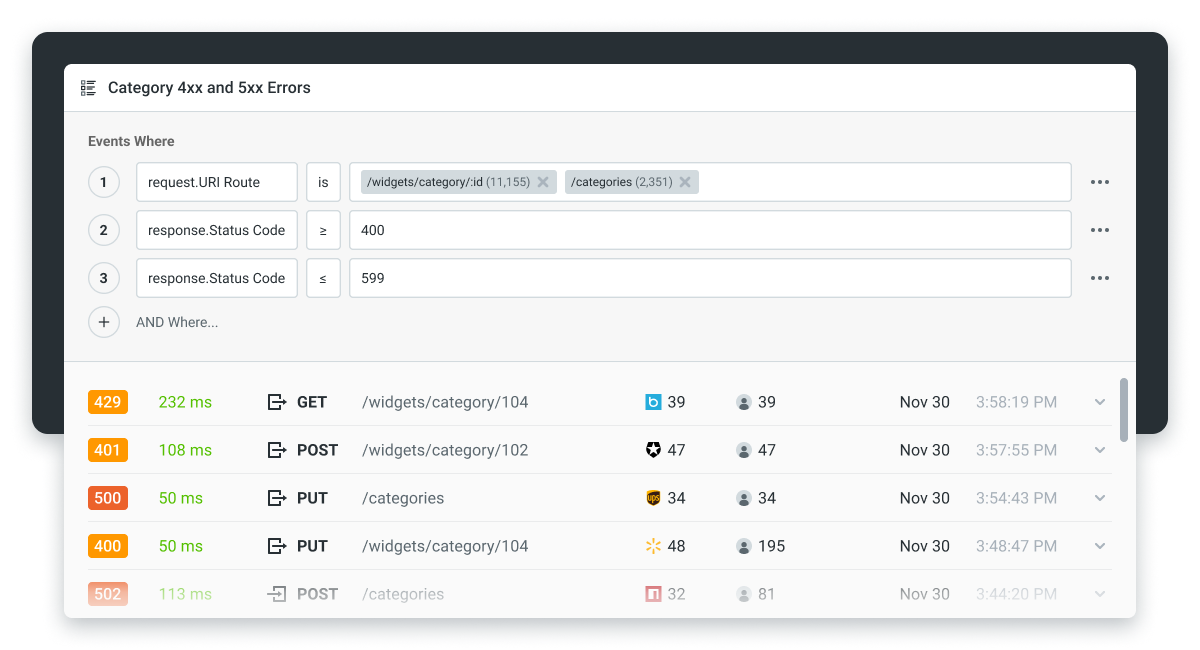
Building an API is only the start. Once your API endpoint is created, you will want to monitor and analyze incoming traffic in addition to using an API testing tool. Doing this lets you identify potential issues and security flaws and understand how your API design is used in practice. These are crucial aspects of growing and supporting your APIs.
As your API platform grows, you may begin to focus on creating API products. By concentrating on API products, you shift from simply building APIs to using them as a business tool and revenue stream. Much like a more formal product, an API product needs to be managed and likely monetized.
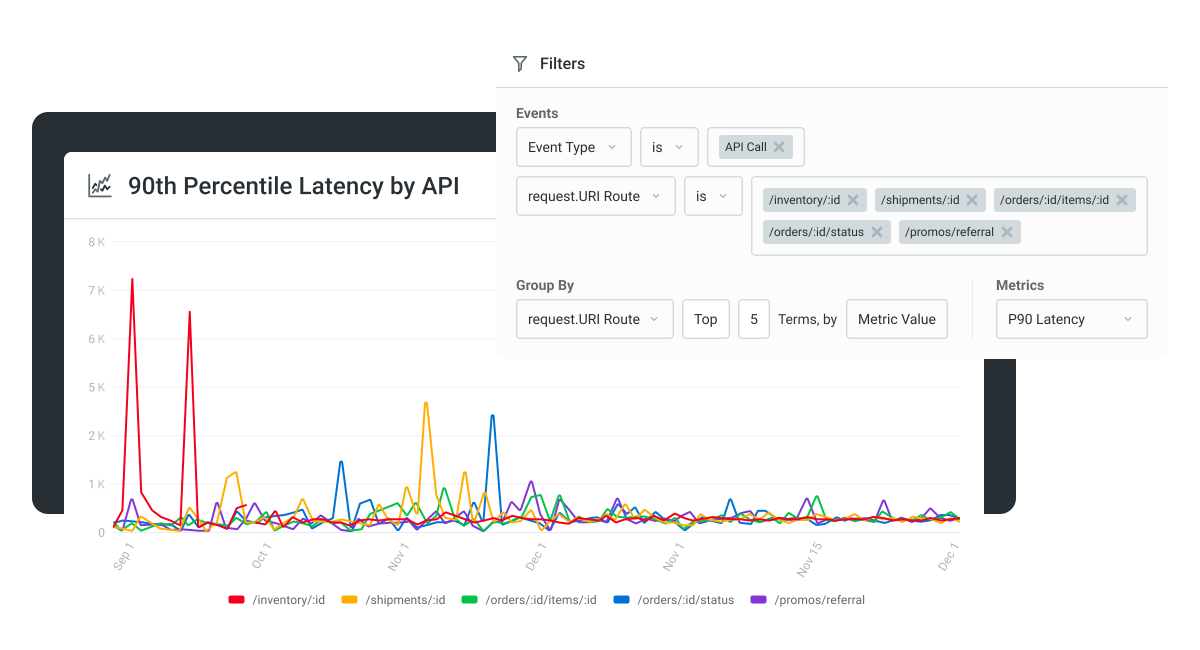
Moesif integrates through an SDK or plugin and is up and running in minutes. Once Moesif is integrated with your APIs, you can explore charting and reporting to look at:
- Live API traffic
- Time-series reports on usage
- Conversion funnels
- Retention reports
Moesif also enables API monetization by tracking usage and syncing it to a billing provider like Stripe, Recurly, or Chargebee.
Conclusion
That covers the basics of building a REST API. In this post, we used Node.js and Express to build endpoints that you can expand into a real product. The code above is a good place to start when building APIs for your applications.
Once you have built your API, you will want to start analyzing and monetizing usage. To try Moesif on your own API, start a 14-day free trial. No credit card required.
Frequently asked questions
What is a REST API in simple terms? A REST API is a way for one piece of software to ask another for data or to make a change. It uses standard HTTP methods (GET, POST, PUT, DELETE) and usually exchanges data as JSON over the internet.
What is the difference between REST and RESTful? “REST” is the architectural style; “RESTful” is the adjective for an API that follows that style. In practice the terms are used interchangeably.
Is Node.js the best choice for a REST API? It is a popular choice, especially for teams already using JavaScript. Python (FastAPI, Flask), Go, and Java (Spring) are all common alternatives. Pick the stack your team already knows.
Do I have to use Express to build a REST API in Node.js? No. Express is the most common choice, but Fastify, Koa, NestJS, and Node’s built-in http module are all options. Express is the default because of its tooling ecosystem.
How do I deploy a REST API once it works locally? The common paths in 2026 are a managed platform (Vercel, Railway, Render, Fly), a container running on a cloud provider (AWS ECS, Google Cloud Run, Azure Container Apps), or a Kubernetes cluster if your team operates one.

Related Articles

API Strategy
Leveraging AI For a Better API Strategy
Learn how to leverage AI to build and fortify your API strategy. Improve design, governance, documentation, and align APIs with business outcomes.
API Strategy
The 5 Best Mixpanel Alternatives of 2025
Learn about the best Mixpanel alternatives to determine the right analytics solution for your use case.

API Development
How to Leverage Moesif Effectively for API Observability
Effectively leverage Moesif for API observability through best practices for integration, event enrichment, custom actions, and engineering workflow integrat...
API Strategy
How to Build an Internal Chargeback Model for Your API and AI Usage Using Moesif
Use Moesif to implement internal chargebacks and enable precise API and AI cost attribution for better transparency and resource optimization.