What Is a Developer Portal? Definition & Examples

A developer portal is the public front door of an API. It is the website where outside developers go to sign up, read the docs, get an API key, find code examples, and start integrating. Stripe has one. Twilio has one. So do GitHub, AWS, OpenAI, and most companies that have ever turned an API into a business.

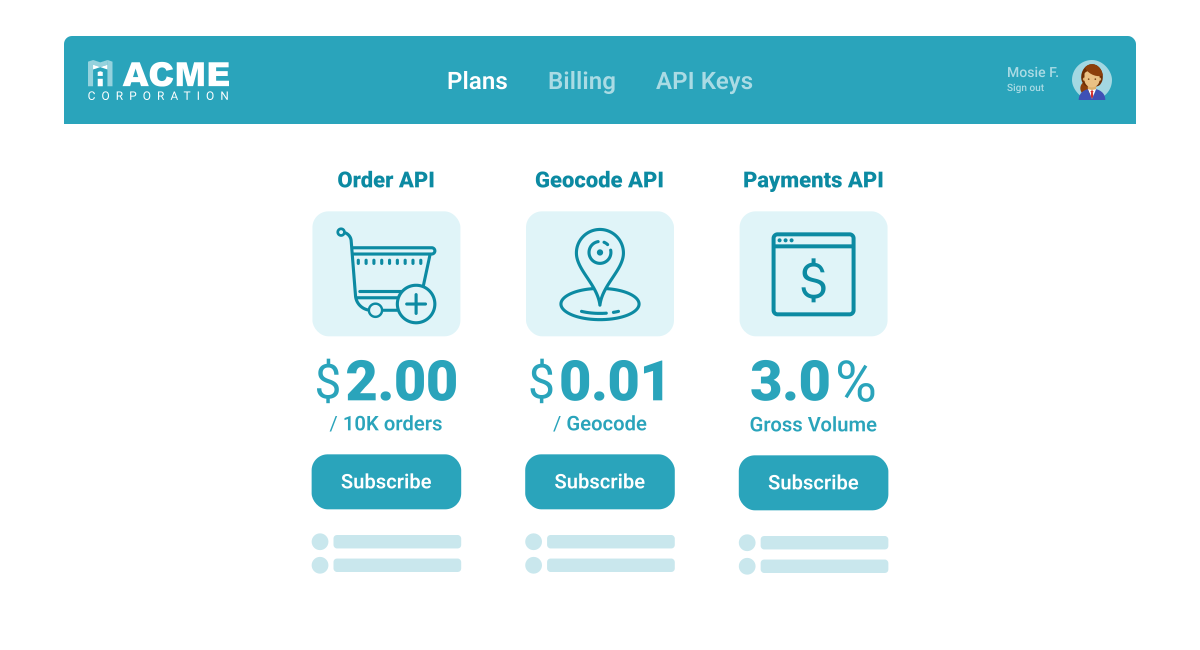
A good developer portal compresses what used to be a six-week sales-and-onboarding cycle into one afternoon of self-service. A bad one is the reason a developer abandons your API for a competitor’s before they ever talk to your team. This guide covers what a developer portal actually is, what jobs it does, what the best ones include, and how to know whether yours is working.
What is a developer portal?
A developer portal is a website built specifically for developers who want to use a company’s API. It typically includes:
- API documentation with request and response examples.
- Self-service account creation so a developer can sign up without talking to sales.
- API key or OAuth credential management so the developer can authenticate.
- SDKs and code samples for the languages developers actually use.
- A changelog or release notes page explaining what has shipped recently and what is deprecated.
- A support path when something does not work.
You will sometimes see developer portals called “developer hubs” or “API portals.” They are the same thing.
What a developer portal is for (the four jobs it does)
A developer portal does four jobs at once.
Discovery. A developer who has never heard of your API needs to find out what it does and whether it solves their problem. That happens in the first thirty seconds on your portal homepage. If they cannot tell within thirty seconds, they leave.
Education. Once a developer is interested, they need to learn how the API works. Conceptual docs and runnable code examples do that work. The faster a developer goes from “I want to try this” to a working request, the higher the conversion to a paid customer.
Onboarding. This is the moment of truth. The developer signs up, gets credentials, and makes their first call. The standard metric here is Time to First Hello World (TTFHW). Stripe and Twilio target single-digit minutes; most APIs struggle to get under an hour.
Long-term support. A developer who integrated last year still needs the portal: to find the spec for a new endpoint, to read the deprecation notice for an old version, to look up an error code they have never seen before. The portal is not a launch artifact. It is a permanent surface.
Anatomy of a developer portal
A modern developer portal usually has these components.
API reference docs. Generated from your OpenAPI specification so the docs cannot drift from the API. Every endpoint, every parameter, every response shape, with copyable example requests.
Getting-started guide. A short, opinionated walkthrough that takes a developer from “I have an account” to “my first request succeeded.” Twilio’s “Send your first SMS” is a frequently cited reference example. The shorter, the better.
Authentication walkthrough. A clear, runnable example showing how to authenticate. API key, OAuth flow, JWT, whatever your API uses. Most onboarding problems are auth problems.
SDKs and code samples. SDKs for the languages your customers use (typically JavaScript, Python, Ruby, PHP, Go, Java, .NET). Inline code samples in every doc page so developers can copy and paste.
Interactive API explorer. Tools like the Swagger UI or Postman embedded directly in the docs so developers can make real calls from the browser.
Dashboard. Where developers manage API keys, view usage, see rate limits, and access billing.
Changelog. A dated list of every shipped change, deprecation, and breaking change. Subscribed-to via RSS or email by your most engaged customers.
Status page and support links. When something is broken, the developer wants to know whether it is them or you.
Real-world developer portals
A few worth studying as references.
- Stripe (stripe.com/docs). The canonical example. Three-column layout, examples in seven languages, every endpoint documented with realistic payloads, a live API explorer in the docs.
- Twilio (twilio.com/docs). Quickstarts that get you sending a real SMS in under five minutes. Strong product onboarding integrated with the docs.
- GitHub (docs.github.com). Massive scope but well-organized. Conceptual docs separated cleanly from API reference.
- OpenAI (platform.openai.com/docs). New entrant that set a high bar for AI API docs. Token economics, model selection, and code recipes all in one place.
- AWS (docs.aws.amazon.com). The opposite extreme: huge surface area, dense reference docs, less hand-holding. Works because the audience is sophisticated and the API is too large for hand-curated quickstarts.
The pattern across the strong ones: they treat the portal as a product, not as documentation. There is a product manager who owns it, a backlog of improvements, and metrics tied to the developer journey.
Internal developer portals vs. external developer portals
Two related concepts share the name and create confusion.
External (public) developer portals are what we have been describing: the public front door of a commercial API, meant for outside developers.
Internal developer portals (sometimes called IDPs or platform engineering portals) are a separate concept. They are internal tooling that helps engineers inside a company discover services, run deployments, and access platform infrastructure. Backstage (the Spotify-built open-source project) and Cortex are the well-known examples.
This article is about the external kind. If you came here looking for internal developer platforms, the term you want is “internal developer portal” or “internal developer platform,” and the reference companies are Backstage, Cortex, and Port.
What makes a great developer portal: a checklist
A working developer portal has the same handful of things across every successful API platform we have seen. None are optional, and underinvesting in any one of them depresses adoption across all of them.
A first-call experience that takes under five minutes. Sign up, get an API key, see a working request in three terminal commands or one curl. Stripe, Twilio, and OpenAI all built their reputations partly on this. APIs that require account approval, multi-step onboarding, or “contact us to provision” before a developer can call an endpoint lose a large share of casual evaluators in the first session; the exact drop-off varies, but it is consistently the biggest leakage point teams find when they measure it.
Reference docs generated from the OpenAPI spec. Hand-maintained reference docs go stale. Generated docs do not. The reference section should be auto-updated on every API release and include: every endpoint, every parameter, every response shape, every status code, with example requests in 3-5 dominant languages (curl, JavaScript, Python, Java, Go is the common set).
An interactive API explorer (a “try-it” console). A developer should be able to enter their API key, fill in parameters, and execute a real call against the API without leaving the portal. The explorer is what converts a docs page into an integration moment. Most modern docs tools (Mintlify, ReadMe, Stoplight, Redocly) include this out of the box if you give them an OpenAPI spec.
Code samples for the dominant integration patterns. Reference docs document endpoints; code samples document workflows. A “create a payment” example should walk through auth, request shape, error handling, and the follow-up calls a real integration needs. Stripe’s recipe-style samples are often cited as a reference example for this format.
SDKs in the languages your audience uses. Even with great docs, raw HTTP calls force every consumer to handle auth, retries, and parsing manually. SDKs in 3-5 dominant languages compress integration time meaningfully and create a single place to fix integration bugs.
Self-serve credentials and dashboards. Developers should be able to issue API keys, rotate them, view usage, see error logs, and adjust rate limits without filing a ticket. The portal is the operational interface for everything they need to do with the API.
Authentication and authorization that are visible. The auth model (API key, OAuth, mTLS) is the first thing developers need to understand. A dedicated “Authentication” section explaining the flow, the credential lifetimes, and how to scope tokens should be one of the first pages a new developer sees.
A community or support channel. Slack, Discord, a public forum, or a clear ticket queue. Developers will get stuck, and the route from stuck to unstuck has to be obvious from the portal.
A changelog and deprecation notice page. New endpoints, breaking changes, deprecations, sunsets. Developers maintaining production integrations need a single place to monitor for changes that affect them. RSS feed support is a small thing that earns a lot of trust.
Status and incident transparency. A status page (showing uptime per region or per endpoint) and a published incident history. APIs without this look unreliable even when they are not.
Portals that hit all ten items above tend to convert signups into integrations and integrations into long-running customers. Portals that ship five or six of them and skip the rest leave adoption on the table.
How to measure whether your developer portal is working
This is where most “what is a developer portal” articles stop, but a portal that does the four jobs above can also be measured against specific outcome metrics rather than just vibes. The numbers that tell you whether the portal is doing its job:
- Time to First Hello World (TTFHW). From the moment a developer signs up to the moment they make their first successful API call. Target single-digit minutes for a self-service API; under one hour for a more complex one.
- Signup-to-first-call conversion. The percentage of developers who sign up and actually make a successful call. The healthy benchmark varies by audience and complexity, but a meaningful gap between signups and first-call completions is one of the clearest signals the onboarding flow is failing.
- First-call-to-production conversion. The percentage of developers who make a first call and eventually graduate to production traffic. The drop-off here is usually a docs or onboarding problem.
- Docs page exit rate by topic. Pages where developers leave the portal entirely are usually pages where the docs are wrong or confusing.
- Support ticket volume by topic. A spike of tickets on “how do I authenticate” means the auth docs are unclear, not that customers are dumb.
These metrics come from instrumenting both the portal (web analytics) and the API itself (API observability). Moesif API monitoring gives you the per-developer, per-endpoint side of the equation, so you can see exactly which customer signed up, made their first call after how many minutes, and which endpoints they explored before going to production.
Building blocks: docs platforms, dev portals, and observability
You do not have to build a developer portal from scratch. The market has matured.
For the docs layer, you have several options: Mintlify, ReadMe, Docusaurus, Redocly, and Stoplight all generate developer-facing docs from OpenAPI specs. They handle the three-column layout, code samples, and API explorer for you. Pick based on price, hosting model, and how much customization you need.
For the gateway and credentials layer, an enterprise platform like the WSO2 API Platform covers API design, governance, gateway routing, and the developer portal surface itself (the portal is one of the published components alongside API Manager). At smaller scale, Kong’s developer portal, Apigee’s portal, and AWS’s API Gateway custom portals fill the same role with less governance machinery.
For the observability layer, Moesif sits behind the gateway and shows you what every developer is actually doing in real time. Per-customer, per-endpoint, payload-level. That is the data that tells you whether your portal is doing its job.
The integrated stack at Moesif and WSO2 is: WSO2 manages the API design, gateway, and portal surface; Moesif observes the production traffic and feeds those metrics back into the portal team.
Where to take this next
A developer portal is a product, and like any product it lives or dies by whether you measure it. Start a 14-day Moesif free trial to see per-developer TTFHW and first-call conversion on your own API. No credit card required.
Frequently asked questions
What is the difference between a developer portal and API documentation? Documentation is one component of a developer portal. The portal also includes account management, credentials, SDKs, a dashboard, support paths, and a changelog. Docs are necessary but not sufficient.
Is a developer portal the same as a developer experience platform? No. A developer portal is the surface where developers interact with your API. A developer experience (DX) platform is broader: it covers the portal plus the surrounding tooling and metrics that make developers productive overall. Internal developer portals are often part of a broader DX platform.
How long does it take to build a developer portal? Using off-the-shelf tools like Mintlify or ReadMe and a generated OpenAPI spec, you can ship a credible portal in two to four weeks. Building one from scratch with custom branding, an interactive explorer, and SDK generation takes a quarter or more.
Do I need a developer portal if my API has only a few customers? If they all came through sales, probably not. If you want self-service signups and any kind of inbound developer traffic, you do. The portal is the difference between an API that needs a sales call to adopt and one that grows on its own.
What metrics define a successful developer portal? Time to First Hello World, signup-to-first-call conversion, and first-call-to-production conversion. If those three move in the right direction, the portal is working.

Related Articles

API Strategy
Leveraging AI For a Better API Strategy
Learn how to leverage AI to build and fortify your API strategy. Improve design, governance, documentation, and align APIs with business outcomes.
API Strategy
The 5 Best Mixpanel Alternatives of 2025
Learn about the best Mixpanel alternatives to determine the right analytics solution for your use case.

API Development
How to Leverage Moesif Effectively for API Observability
Effectively leverage Moesif for API observability through best practices for integration, event enrichment, custom actions, and engineering workflow integrat...
API Strategy
How to Build an Internal Chargeback Model for Your API and AI Usage Using Moesif
Use Moesif to implement internal chargebacks and enable precise API and AI cost attribution for better transparency and resource optimization.