SaaS Pricing Models: 7 Strategies and Real Examples (2026 Guide)
Updated: May 2026
Choosing a SaaS pricing model is one of the highest-leverage product decisions a software company makes, and one of the easiest to get wrong. Price too low and you leave revenue on the table. Price too high and you bleed deals at the demo. Pick the wrong structure and you spend the next two years explaining quotas to customers who only wanted to pay for what they used.
This guide walks through the seven pricing models that dominate modern SaaS, with real examples from Slack, HubSpot, Twilio, Notion, and others. It also distinguishes pricing models (how you charge) from pricing strategies (why you set the number you do), goes deep on usage-based pricing (currently the fastest-growing model in SaaS), and ends with a decision framework you can actually use this quarter.
We have skin in the game on this topic. We moved Moesif from fixed tiers to usage-based pricing in 2023, and we work with API and AI companies running every model below. The mistakes and trade-offs in this post come from operating these models, not just describing them.
What Is a SaaS Pricing Model?
A SaaS pricing model is the structural framework a software company uses to charge customers for ongoing access to its product. It defines what customers pay for (users, usage, features, or flat access), how often they’re billed, and how the price scales as the customer gets more value from the product.
Pricing models matter because they affect three numbers at once: customer acquisition cost (CAC), customer lifetime value (CLTV), and net revenue retention (NRR). A flat-rate model produces predictable revenue but caps your upside on heavy users. A per-seat model scales with team size but stalls when adoption is sticky and accounts stop hiring. Usage-based pricing tracks value almost perfectly but introduces forecasting pain on both sides. The right model is the one that matches your value metric, your buyer’s purchasing process, and your finance team’s tolerance for variability.
A successful pricing model also has to clear five operational hurdles:
- Costs are understood. Infrastructure, support, and marginal costs per customer are mapped before the price is set.
- Value is specific. What the customer pays for is tied to one or two concrete outcomes, not a fuzzy “everything in the product.”
- Market position is intentional. The price signals premium, parity, or undercut, and the product backs it up.
- Structure fits the buyer. A flat monthly fee suits self-serve buyers; complex tiers suit enterprise procurement.
- The model can flex. Pricing reviewed every 12 to 18 months catches misalignment before it becomes churn.

SaaS Pricing Model vs. SaaS Pricing Strategy
These terms get used interchangeably, and they shouldn’t. The distinction is worth getting right because it changes what you optimize.
A pricing model is the structure: per seat, per call, flat fee, tiered. It answers how the customer pays.
A pricing strategy is the reasoning behind the number: cost-plus, competitor-based, value-based. It answers why you set the price at $79 instead of $49 or $299.
You always pick both. A per-seat model (structure) with value-based pricing (strategy) might land at $99/user/month because the buyer’s team saves 10 hours per user per week. The same per-seat model with cost-plus pricing might land at $19/user/month because your unit cost is $14 and you want a margin. Same model, different strategy, very different business.
The three pricing strategies most SaaS companies pick from:
- Cost-plus pricing takes your cost to serve a customer and adds a markup. It’s transparent and easy to justify internally, but it ignores what the customer is actually willing to pay.
- Competitor-based pricing anchors to the going rate in your category, usually with a small discount or premium. Useful for entering a crowded market, dangerous as a long-term plan because it ties your revenue to other companies’ decisions.
- Value-based pricing prices to the customer’s perceived ROI. It captures the most margin but requires real research into how customers measure value. For deeper coverage, see our guide to API monetization models.
Get the model right and customers understand what they’re paying for. Get the strategy right and they understand why the bill is the size it is.
The 7 Main SaaS Pricing Models (with Examples)
These seven models cover the great majority of SaaS pricing pages you’ll encounter. Most companies pick one as a backbone and layer one or two others on top.
1. Flat-Rate Pricing
Flat-rate pricing charges a single, fixed price for access to the product, regardless of seats or usage. Customers usually pick between monthly and annual billing, with annual carrying a 15-20% discount.
When to use it: Simple, single-persona products where usage doesn’t vary much between customers. Consumer subscriptions. Tools where seat counts are unpredictable but small.
Real example: Basecamp Pro Unlimited is $299/month billed annually ($399/month billed monthly) for unlimited users and projects.
Pros: Simplest possible pricing page; predictable revenue; trivial to forecast. Cons: Leaves money on the table for heavy users; one price rarely fits both a 5-person team and a 500-person team.
2. Tiered Pricing
Tiered pricing offers two to four packages at distinct price points, each bundling a set of features and quotas. The buyer self-selects into the tier that fits.
When to use it: Products serving multiple personas with different needs (individual users, small teams, and enterprise buyers, for example) where it makes sense to gate advanced features behind higher tiers.
Real example: HubSpot’s Marketing Hub runs Starter, Professional, and Enterprise tiers, with each tier unlocking additional automation, reporting, and integration features.
Pros: Captures more revenue from larger buyers; clean upgrade path; works well for sales-assisted motions. Cons: Tier design is hard, and bad tiering pushes buyers to the wrong plan or causes “feature jumping” instead of upgrades.
3. Per-User (Per-Seat) Pricing
Per-user pricing charges a fixed amount per seat per month. Total bill scales linearly with team size.
When to use it: Collaboration tools where each new user gets real value (project management, design, knowledge bases). Less suited for products with mostly read-only users.
Real example: Slack’s paid Pro plan charges per active user per month. Microsoft 365 and Google Workspace use the same structure.
Pros: Easy to budget; revenue grows with the customer’s team; clear value-to-price relationship for collaboration use cases. Cons: Discourages broad rollouts (“just give Sarah a seat”) and penalizes you when adoption stalls because nobody added users this quarter.
4. Per-Active-User Pricing
A refinement of per-user where you only bill for users who actually engaged with the product in a given period. Removes the “we’re paying for 200 seats but only 60 people log in” problem.
When to use it: Enterprise rollouts where IT provisions many accounts but only a subset of users are active. Tools where adoption ramps over months, not days.
Real example: Slack’s Fair Billing Policy credits customers for users who are deactivated or inactive. The calculation is based on active-user time, not seat count alone. The practical effect: IT can provision broadly without paying for users who never log in.
Pros: Reduces buyer friction enormously, especially in large enterprises; aligns incentives so the vendor cares about activation. Cons: Revenue depends on engagement, which is harder to forecast; requires a credible “active user” definition the customer agrees with.
5. Usage-Based Pricing (Pay-As-You-Go)
Usage-based pricing (also called consumption pricing or pay-as-you-go) charges customers based on what they actually consume. The unit of consumption is the value metric: API calls, events processed, tokens generated, data ingested, transactions cleared.
When to use it: APIs, infrastructure, AI products, anything where one customer can use 10x more than another and “fairness” matters. Particularly common in developer tools.
Real example: Twilio charges per SMS sent and per minute of voice. AWS bills per second of compute and per GB of storage. OpenAI prices per million tokens.
Pros: Tracks value almost perfectly; removes purchase friction; rewards product growth inside accounts; correlates strongly with above-average net dollar retention according to OpenView’s research. Cons: Customers can’t easily budget; bill shock is a real churn risk; demands accurate metering infrastructure and usually a customer-facing usage dashboard.
We expand on this model in the closer-look section below because it deserves more than four bullets.
6. Freemium
Freemium offers a permanently free tier with limited features, quotas, or both, plus paid tiers that unlock the rest.
When to use it: Product-led growth (PLG) motions where users discover the product themselves and convert when their needs outgrow the free tier. Works best when there’s a clear, visible “wall” users hit as they get value.
Real example: Notion’s free tier supports unlimited blocks for individual use; teams pay when they need collaboration and admin features. Figma is free for individual designers and bills per editor on team plans.
Pros: Lowest possible adoption friction; the free tier becomes its own marketing channel; product usage data informs which features convert. Cons: Free users cost real money to support and host; the free-to-paid conversion rate is rarely above single digits; the wrong free-tier limits can either give too much away or push users to abandon before they see value.
7. Feature-Based Pricing
Feature-based pricing bundles features into packages and charges by package rather than by users or usage. Distinct from tiered pricing in that the gating is purely about feature access, not quota.
When to use it: Enterprise products with a wide feature surface where different buyer segments value different capabilities (security, compliance, automation, advanced reporting).
Real example: Salesforce’s editions (Starter, Pro, Enterprise, Unlimited) gate features like advanced workflow automation, sandbox environments, and 24/7 support.
Pros: Lets you charge for features that genuinely matter to high-end buyers without penalizing smaller customers; works well in sales-led motions. Cons: Buyers find it hard to compare plans; the temptation to gate everything leads to bloated pricing pages and lost deals.
Hybrid Pricing Models
Most mature SaaS companies don’t pick one model; they combine. Two patterns show up over and over:
- Subscription plus usage-based add-ons. A base subscription covers core features and a usage allowance; overages are billed by consumption. This is how Twilio Flex, HubSpot’s add-on products, and most modern API products work.
- Tiered plus per-seat. Different tiers at different per-seat rates, with feature gating between tiers. HubSpot’s full pricing structure does this, as does most of the work-management category.
Hybrid pricing handles the messy reality that buyers want predictability and fairness. The catch is that every additional pricing dimension makes the pricing page harder to read. Two dimensions is usually fine; three starts requiring a calculator.
SaaS Pricing Models Compared
Side by side, the differences become much clearer. None of the top-ranking guides on this keyword includes a comparison table, which is part of why most readers leave more confused than they arrived.
| Pricing Model | Best For | Revenue Predictability | Adoption Friction | Real Example |
|---|---|---|---|---|
| Flat-Rate | Simple, single-persona products | High | Low | Basecamp |
| Tiered | Mixed personas, sales-assisted | High | Low | HubSpot |
| Per-User | Collaboration tools | High | Medium | Slack (Pro plan) |
| Per-Active-User | Enterprise rollouts | Medium | Very Low | Slack Fair Billing |
| Usage-Based | APIs, infrastructure, AI | Lower | Very Low | Twilio, AWS, OpenAI |
| Freemium | Viral / PLG products | Lower | Lowest | Notion, Figma |
| Feature-Based | Wide-feature enterprise tools | High | Medium | Salesforce |
A few patterns are worth pulling out of the table:
- Predictability and friction trade off. Flat-rate is the most predictable revenue stream and feature-based is close behind, but both create more buying friction than usage-based or freemium.
- Usage-based wins the friction comparison. Customers can start with $0 commitment and grow into a real bill. That’s a big part of why so many self-serve API and AI products choose it.
- Hybrid pricing isn’t in the table on purpose. Hybrid is a layering pattern rather than a standalone model. Pick a primary model from the seven above and layer where the math supports it.
How to Choose the Right SaaS Pricing Model
Picking a model comes down to a small set of structural questions about your product, your buyer, and your value metric. The framework below works for most teams.
1. Does usage vary widely between customers? If your heaviest customer uses 100x more than your lightest, usage-based or hybrid is almost always right. A flat fee will either underprice the whales or overprice the minnows.
2. Is value tied to the number of people using the product? If yes, per-user or per-active-user fits. Collaboration tools, design suites, and CRMs default here for a reason.
3. Is the product simple with a single buyer persona? Flat-rate is enough. Don’t introduce tiers just because everyone else has them, because complexity for its own sake costs deals.
4. Are you selling to enterprises that want feature gating? Tiered or feature-based pricing maps cleanly to enterprise procurement, where security, SSO, audit logs, and SLAs are the negotiation points.
5. Is the goal viral adoption? Freemium, ideally with a clear wall (collaboration, scale, or admin features) that signals when it’s time to pay.
A common mistake is picking a model based on what competitors do, then learning six months later that your customers actually wanted something else. Run pricing interviews before launching, watch real usage patterns after, and revisit the model annually.
For a deeper framework specific to APIs and developer tools, see our companion post on pricing for API products.
Usage-Based Pricing: A Closer Look
Usage-based pricing has grown rapidly in API, infrastructure, and AI products, and many newer companies in those categories launch with it from day one. It’s also the model we get the most operator questions about. According to OpenView Partners’ 2023 SaaS Benchmarks, 61% of SaaS companies now offer some form of usage-based pricing, up from 23% in 2020. The same research found that public companies with usage-based pricing post higher net dollar retention than subscription-only peers, because usage growth inside accounts compounds the way subscription expansion typically doesn’t.
That growth comes with real operational requirements. Three deserve specific attention.
Picking a Value Metric
The value metric is the unit you charge by. Pick wrong and the rest of your pricing falls apart. Good value metrics share three properties:
- They correlate tightly with the customer’s perceived value. Twilio charges per message because the value of a sent message is intuitive; charging per CPU second on the same product would baffle buyers.
- They scale with usage. A metric that’s the same for a small and large customer (“number of integrations enabled”) isn’t a usage metric.
- They’re easy to count. API calls, events, tokens, GB ingested. If you can’t count it accurately in real time, you can’t bill on it.
Common value metrics by product category:
| Product Type | Typical Value Metric |
|---|---|
| Communication APIs | Messages sent, minutes of call |
| Payment APIs | Transactions processed, dollars cleared |
| Data infrastructure | GB ingested, GB stored, queries run |
| AI / LLM products | Input tokens, output tokens, generations |
| Analytics platforms | Events tracked, users tracked |
| Workflow automation | Tasks executed, runs completed |
A value metric isn’t permanent. Snowflake famously moved from per-query to per-second of compute as usage patterns shifted. Expect to revisit yours.
Metering Requirements
Usage-based pricing only works if your metering is accurate, real-time, and auditable. Three things have to be true:
- Every billable event lands in your metering system within seconds. A delayed event is a lost or disputed dollar.
- Usage data is reconciled to revenue. Finance needs a clean audit trail from “event happened” to “line item on invoice.”
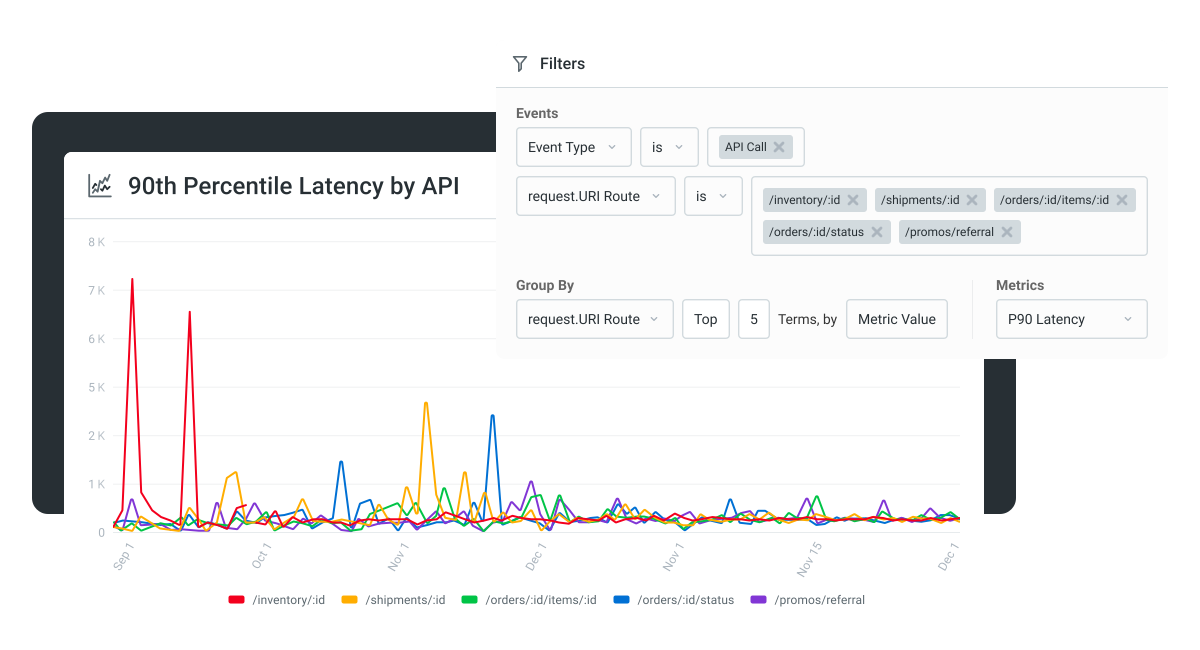
- Customers can see their own usage. A customer-facing usage dashboard is one of the highest-impact churn-prevention investments in usage-based pricing, because when buyers can predict their bill they don’t panic.
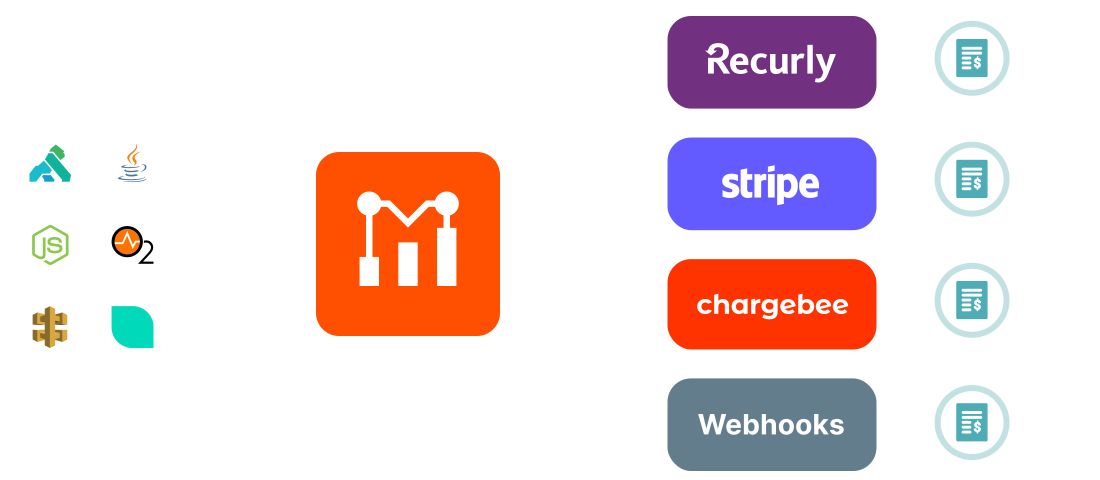
Most teams underestimate the engineering cost of building this in-house. When we moved from fixed tiers to usage-based pricing in 2023, the metering, commitment-level math, and customer-facing dashboards took longer to design than the pricing itself. We built it once for our own product and now provide it to other companies running the same playbook. Our metering layer pushes usage events into Stripe, Recurly, or Chargebee, so teams keep their existing billing system while gaining accurate, customer-visible usage tracking. For more on running this in production, see our usage-based billing best practices and the pay-as-you-go playbook.
Common Pitfalls
Three pitfalls show up consistently in usage-based pricing rollouts:
- Bill shock. A spike in customer usage produces a surprise invoice. The fix is alerts, soft limits, and committed-use discounts so buyers can lock in budgets.
- No spend ceiling for budget-bound buyers. Procurement teams often can’t approve “variable” line items. Offer commitment tiers (e.g., “5M events/month for $X”) that give buyers a fixed number to sign off on, with overages billed separately.
- Engineering can’t keep up with the metering load. Building event ingestion that handles 10K events/sec without losing data is a real engineering project. If you’re a small team, buy this layer rather than build it.
Usage-based pricing isn’t always the right answer. If your product has steady, predictable per-customer usage and a simple buyer journey, flat-rate or per-seat will outperform it. The honest test is whether the value your customers get genuinely scales with what you can meter.
Real SaaS Pricing Examples to Learn From
Looking at how successful companies actually implement these models is faster than any framework.
Slack
Slack combines per-active-user pricing with tiered features. The Pro and Business+ tiers add SSO, compliance reports, and unlimited message history at higher per-seat prices. The Fair Billing Policy, which credits customers for inactive seats, is the unlock that made Slack viable in large enterprises, because IT could provision broadly without paying for users who never logged in. Lesson: Per-seat pricing and broad enterprise rollouts can co-exist, but only if your billing accounts for actual usage.
HubSpot
HubSpot’s Marketing Hub, Sales Hub, and Service Hub each have Starter, Pro, and Enterprise tiers. The packaging maps to buyer maturity: a 5-person startup picks Starter; a 50-person revenue team picks Pro; enterprises picking Enterprise pay for advanced reporting and ABM features. Bundled packages across hubs encourage customers to expand within the platform. Lesson: Tier structure should reflect buyer journey, not feature count.
Twilio
Twilio is one of the most-cited usage-based examples in SaaS. Customers pay per SMS, per voice minute, per WhatsApp message, with volume discounts that kick in automatically. The pricing page is essentially a menu: no quotas, no tiers, no negotiation for self-serve customers. Lesson: When the value metric is intuitive and meterable, usage-based pricing removes nearly all buying friction.
Notion
Notion’s free tier gives individual users essentially everything they need. The paid tiers kick in for collaboration: unlimited file uploads, version history, admin tools, and team workspaces. The product itself drives upgrade conversations because the wall hits exactly when a team forms. Lesson: A great freemium tier is one where users genuinely succeed for free and pay when their needs change, not one engineered to frustrate.
Google Workspace
Google Workspace uses per-user pricing layered with feature-based tiers (Business Starter, Standard, Plus, Enterprise). Storage limits, security features, and support level differ by tier. The pricing is transparent enough that small businesses can self-serve and complex enough to support large enterprise procurement. Lesson: Per-user plus feature tiers is a stable pattern for productivity tools serving everyone from solopreneurs to Fortune 500s.
Zendesk
Zendesk uses per-agent pricing with tiered features and usage-based add-ons. The modular structure lets companies start with a single product (Support, Sales, or Chat) and add modules as needs grow. Lesson: Modular packaging works when your product line is wide and customer needs vary; it falls apart when bundles are arbitrary.
SaaS Pricing Best Practices
Six practices consistently separate companies that price well from companies that don’t.
- Keep the pricing page simple. Three to four plans, one or two pricing axes, no calculators required for the most common purchase. If you need a sales rep to explain it, you’ve already lost the self-serve buyer.
- Tie price to a single value metric. Whether it’s seats, events, transactions, or features, the buyer should be able to point at the line item and say “I understand why this number went up.”
- A/B test before changing. Don’t ship pricing changes blind. Run them with a subset of new signups and measure conversion and ACV before rolling out.
- Grandfather existing customers. When you change pricing, give existing customers the option to stay on their current plan. Surprise increases reliably spike churn.
- Communicate price changes openly. Email the customer base, explain the reasoning, give 30-60 days of notice. For deeper guidance, see our SaaS billing best practices.
- Revisit pricing every 12-18 months. Markets shift, products mature, and a model that worked at $1M ARR almost never works at $20M.
The single biggest mistake we see is treating pricing as a finance decision instead of a product decision. Finance can model the revenue implications; only product can tell you whether the model still matches how customers get value.
Pricing Is a Product Decision, Not a Finance One
The “best” SaaS pricing model is whichever one most tightly aligns price with the value your customers actually care about. For a project management tool, that’s probably seats. For an API or AI product, it’s almost always usage. For a wide-feature enterprise platform, it’s feature packages.
Whichever model you pick, the operational layer underneath it matters as much as the model itself. Accurate metering, real-time usage tracking, customer-facing dashboards, and a billing-provider integration that doesn’t break under load are the things that decide whether your pricing model survives contact with customers.
If you’re building a usage-based or hybrid pricing model for an API, AI, or developer product, we handle the metering and customer-facing usage analytics layer so you can use Stripe, Recurly, or Chargebee as your billing engine without building the event pipeline yourself. Start a free 14-day trial, no credit card required.
FAQPage Schema:
Frequently Asked Questions
What are SaaS pricing models?
SaaS pricing models are the structural frameworks software companies use to charge for recurring access to their products. The seven most common are flat-rate, tiered, per-user, per-active-user, usage-based, freemium, and feature-based. Most mature SaaS companies layer two or more into a hybrid model.
What is the 3-3-2-2-2 rule of SaaS?
The T2D3 model (Triple-Triple-Double-Double-Double) is a revenue growth benchmark for venture-backed SaaS companies. It targets tripling ARR for two consecutive years, then doubling ARR for three more, taking a company from roughly $2M to $100M+ ARR over about five years. It’s a growth target, not a pricing rule, but it influences pricing because the underlying unit economics have to support that trajectory.
What are the 4 types of pricing?
In SaaS, the four primary pricing strategies are cost-plus pricing, competitor-based pricing, value-based pricing, and dynamic pricing. These are distinct from pricing models (flat-rate, tiered, usage-based, etc.). Strategy determines the price; the model determines the structure.
How do you develop a SaaS pricing model?
Start with the customer’s value metric (what they’re really paying for), pick a model that aligns the price with that metric, validate with 10-15 customer interviews before launch, and instrument usage analytics so you can watch how customers actually consume the product post-launch. Revisit pricing every 12-18 months.
What is the best pricing model for an early-stage SaaS?
For most early-stage products, flat-rate or simple tiered pricing wins, because the goal is to minimize friction and learn quickly. Usage-based pricing is the right answer when your product has obvious usage variability (APIs, AI tokens, data volume) and you’ve already built or can buy the metering infrastructure. Freemium works only if you have the runway to support free users for 12+ months while conversion rates stabilize.

Related Articles

API Strategy
Leveraging AI For a Better API Strategy
Learn how to leverage AI to build and fortify your API strategy. Improve design, governance, documentation, and align APIs with business outcomes.
API Strategy
The 5 Best Mixpanel Alternatives of 2025
Learn about the best Mixpanel alternatives to determine the right analytics solution for your use case.

API Development
How to Leverage Moesif Effectively for API Observability
Effectively leverage Moesif for API observability through best practices for integration, event enrichment, custom actions, and engineering workflow integrat...
API Strategy
How to Build an Internal Chargeback Model for Your API and AI Usage Using Moesif
Use Moesif to implement internal chargebacks and enable precise API and AI cost attribution for better transparency and resource optimization.