Python REST API: Build One with FastAPI in 2026
If you are building a Python REST API in 2026, the default stack has shifted. FastAPI now sits at the top of Python web framework adoption per JetBrains’ State of Python 2025 survey, with growth that outpaced every other framework in the last two years. Flask is still strong for small services; Django REST Framework remains the enterprise pick when you are already on Django. For a new public REST API, though, the path of least resistance is FastAPI plus Pydantic, hosted behind an API gateway with proper observability.

This guide walks through that path. Working FastAPI code (verified against the official docs at the time of writing), Pydantic validation, JWT authentication, pytest testing, deployment patterns, and the production observability layer most tutorials skip. Every code snippet here is a working example you can paste and run.
Why Python is a strong choice for REST APIs in 2026
Python’s relevance for REST APIs grew, not shrunk, in the last few years. Three reasons.
First, async support stabilized. FastAPI is async-native from the first line; Flask added async view support in Flask 2.0; Django has substantially expanded async ORM support in recent releases. The “Python is slow” objection rarely holds for I/O-bound API work in 2026.
Second, type hints became table stakes. FastAPI uses Python type hints to validate requests and generate OpenAPI specs automatically. Pydantic’s data model layer catches a class of bugs that used to live in production. The combination produces tighter APIs with less code.
Third, Python became the default language for ML serving. A meaningful share of new APIs in 2026 wrap an LLM call, a vision model, or a recommendation system. FastAPI’s async runtime and clean integration with PyTorch and TensorFlow made it the standard for serving those models through HTTP. The same patterns work for non-ML APIs.
If you want a deeper framework comparison before picking one, our Python REST API frameworks guide goes through FastAPI, Flask, Django REST Framework, aiohttp, and Falcon in detail.
Picking a Python framework: FastAPI vs Flask vs Django REST
A short decision matrix for the three frameworks most teams compare.
| Framework | Best for | Async | Batteries |
|---|---|---|---|
| FastAPI | New APIs, ML serving | Native | Light |
| Flask | Small services, prototypes | Optional (Flask 3+) | Light |
| Django REST Framework | Existing Django apps, enterprise | Partial | Heavy |
This guide builds with FastAPI because it is the strongest default for new APIs and because its type-hint-driven validation and auto-generated OpenAPI spec produce a cleaner tutorial than either alternative. The same general patterns translate to the other two frameworks.
Setting up your environment
Create a fresh project directory and a virtual environment.
mkdir python-api && cd python-api
python -m venv venv
source venv/bin/activate  # On Windows: venv\Scripts\activate
pip install "fastapi[standard]"
The fastapi[standard] install pulls Pydantic, Starlette, Uvicorn (the ASGI server), and the FastAPI CLI in one step. The quoted form ensures the brackets are parsed correctly on every shell.
Verify the install:
python -c "import fastapi; print(fastapi.__version__)"
Create a file called main.py. That is the file we will fill in across the next few sections.
Designing your API before writing code
The temptation with FastAPI is to start writing @app.get decorators immediately. Resist it for thirty minutes. The decisions you make in the first half hour about resource model, endpoint shape, and status code choices are the ones that get hardest to change later, because every consumer integration locks them in.
A useful sequence for designing a Python REST API before any code:
Identify the resources. A resource is a noun the API exposes. For an order management API: orders, customers, products, refunds. For an analytics API: events, sessions, reports. Resources are usually plural in the URL (/orders, not /order), and a single resource has a stable identifier (/orders/{order_id}). If you find yourself reaching for verbs (/getOrders, /processRefund), step back; REST works best with noun-based URLs and HTTP verbs (GET /orders, POST /refunds).
Map endpoints to operations. For each resource, decide which CRUD operations the API supports and which it does not. A list-orders endpoint (GET /orders) might be paginated, filtered, and sorted; a delete-order endpoint (DELETE /orders/{id}) might require admin auth. Write these out as a flat table before coding; it surfaces the cases where you intended an operation that the resource model does not actually support.
Choose status codes deliberately. REST APIs that return 200 OK for every response (including errors) make consumer parsing miserable. The right defaults for a CRUD API: 200 OK for successful reads, 201 Created for successful creates (with a Location header pointing to the new resource), 204 No Content for successful deletes, 400 for malformed requests, 401 for missing auth, 403 for forbidden, 404 for missing resources, 409 for conflicts, 422 for validation failures, 429 for rate limits, 500 for server errors. Our HTTP status codes guide covers the full set.
Design the error shape early. Every endpoint will eventually return errors. Decide the error envelope once ({"error": {"code": "...", "message": "...", "field": "..."}} is a common pattern) and apply it consistently. Changing the error format after consumers integrate is a breaking change even if the success format stays the same.
Decide on naming conventions. Field names in JSON bodies: snake_case (most APIs, including Stripe, OpenAI, GitHub) or camelCase (most JavaScript-native APIs)? Both are valid; pick one and apply it across every endpoint. The same applies to URL paths (/customers/{customer_id}/orders vs. /customers/{customerId}/orders); pick a style and never mix.
Plan for pagination upfront. A list endpoint that returns “all orders” works in development with 50 rows and falls over in production with 50,000. Decide whether you use offset/limit pagination (simpler, struggles at very high offsets) or cursor pagination (slightly more complex but scales arbitrarily), and apply it to every list endpoint from the start.
Write the OpenAPI spec or generate it. FastAPI generates the OpenAPI spec from your type hints automatically, which is one of its strongest selling points. The discipline is to look at the generated spec before treating the API as done; if the spec is wrong or incomplete, the API design is wrong or incomplete. The spec is also what feeds downstream tools: SDK generators, MCP server generators (via the WSO2 AI Gateway), contract testing, and documentation portals.
The thirty minutes spent here save days later. Most API redesigns we see were avoidable with a sharper initial resource model.
Building your first endpoint
A minimum working FastAPI server:
from fastapi import FastAPI

app = FastAPI()

@app.get("/")
def read_root():
    return {"message": "Hello, World"}

@app.get("/items/{item_id}")
def read_item(item_id: int, q: str | None = None):
    return {"item_id": item_id, "q": q}
Run it with the FastAPI dev server:
fastapi dev main.py
The server starts on http://127.0.0.1:8000. Call the second endpoint:
curl "http://127.0.0.1:8000/items/42?q=test"
# {"item_id":42,"q":"test"}
Three things just happened automatically:
- FastAPI validated that
item_idis an integer. Call/items/abcand you get a clean422 Unprocessable Entitywith the validation error in the body. - FastAPI registered the endpoint in an OpenAPI spec, which you can view at
http://127.0.0.1:8000/docs(Swagger UI) or/redoc(ReDoc). - The query parameter
qis optional because its default isNone. Without= Noneit would be required.
The str | None syntax is PEP 604 (Python 3.10+). Older tutorials use Optional[str] from typing; both work, but the union syntax is the modern default.
Adding request validation with Pydantic
The endpoint above only validated path and query parameters. For request bodies, define a Pydantic model.
from fastapi import FastAPI
from pydantic import BaseModel, Field
from typing import List

app = FastAPI()

class Order(BaseModel):
    customer_id: int
    items: List[str] = Field(min_length=1)
    notes: str | None = None

@app.post("/orders", status_code=201)
def create_order(order: Order):
    # In real code, persist to a database and return the saved order
    return {"order_id": 1, "customer": order.customer_id, "items": order.items}
A POST to /orders with a missing customer_id or an empty items list now returns a structured 422 automatically. The error body tells the caller exactly which field failed.
curl -X POST http://127.0.0.1:8000/orders \
  -H "Content-Type: application/json" \
  -d '{"customer_id": 42, "items": ["widget", "gadget"]}'
# {"order_id":1,"customer":42,"items":["widget","gadget"]}
This is what makes FastAPI different from Flask in 2026. You declare types and constraints once; you get validation, error handling, and OpenAPI documentation by construction.
Handling create/read/update/delete
A working CRUD set for orders, with an in-memory store to keep the example focused.
from fastapi import FastAPI, HTTPException
from pydantic import BaseModel, Field
from typing import List, Dict

app = FastAPI()

class Order(BaseModel):
    customer_id: int
    items: List[str] = Field(min_length=1)
    notes: str | None = None

orders_db: Dict[int, Order] = {}
next_id = 1

@app.post("/orders", status_code=201)
def create_order(order: Order):
    global next_id
    order_id = next_id
    next_id += 1
    orders_db[order_id] = order
    return {"order_id": order_id, **order.model_dump()}

@app.get("/orders/{order_id}")
def read_order(order_id: int):
    if order_id not in orders_db:
        raise HTTPException(status_code=404, detail="Order not found")
    return {"order_id": order_id, **orders_db[order_id].model_dump()}

@app.put("/orders/{order_id}")
def replace_order(order_id: int, order: Order):
    if order_id not in orders_db:
        raise HTTPException(status_code=404, detail="Order not found")
    orders_db[order_id] = order
    return {"order_id": order_id, **order.model_dump()}

@app.delete("/orders/{order_id}", status_code=204)
def delete_order(order_id: int):
    if order_id not in orders_db:
        raise HTTPException(status_code=404, detail="Order not found")
    del orders_db[order_id]
    return None
A few patterns worth noting:
status_code=201onPOSTfor “Created”;status_code=204onDELETEfor “No Content.” These match the HTTP status code conventions that REST APIs are expected to follow.model_dump()is Pydantic v2’s method for serializing models. Older tutorials use.dict(), which is deprecated in v2.HTTPExceptioncarries the status code and adetailfield that becomes the response body’sdetail. FastAPI formats the JSON.
In a real application the orders_db dictionary is replaced with a database layer (SQLAlchemy is the common choice). The endpoint shape stays the same.
Authentication and authorization
The two patterns most public APIs use in 2026 are API keys (server-to-server) and OAuth 2.0 (user-facing). FastAPI supports both through fastapi.security.
A minimal API key check:
from fastapi import FastAPI, Header, HTTPException

app = FastAPI()

API_KEYS = {"key_demo_123": "demo-customer"}

def verify_api_key(authorization: str | None = Header(default=None)):
    if not authorization or not authorization.startswith("Bearer "):
        raise HTTPException(status_code=401, detail="Missing Bearer token")
    token = authorization.removeprefix("Bearer ")
    if token not in API_KEYS:
        raise HTTPException(status_code=403, detail="Invalid API key")
    return API_KEYS[token]

@app.get("/orders/{order_id}")
def read_order(order_id: int, customer: str = Depends(verify_api_key)):
    # 'customer' is now the API key's owner, set by verify_api_key
    return {"order_id": order_id, "customer": customer}
The Depends(verify_api_key) pattern is FastAPI’s dependency injection. The function runs before the endpoint; if it raises, the request never hits your handler. For OAuth 2.0 and JWT, FastAPI ships built-in helpers documented in the security section of the official docs.
The non-negotiables for any production API: TLS 1.2 or higher on every endpoint, no API keys in URLs (they leak to logs), and rate limits enforced at the gateway. Picking these defaults at design time is one of the nine API design principles.
Idempotency for AI agent traffic
This is the section most Python REST tutorials skip and the one that matters most in 2026.
AI agents retry. When an LLM application calls your POST /orders endpoint as part of a multi-step task and the request times out, the agent retries the same call. Without idempotency, you create duplicate orders.
The convention popularized by Stripe and widely adopted across payments and infrastructure APIs: clients send an Idempotency-Key header on POST requests, and the server returns the same response on retry.
A minimal implementation:
from fastapi import FastAPI, Header, HTTPException
from typing import Dict, Any

app = FastAPI()

idempotency_cache: Dict[str, Any] = {}

@app.post("/orders", status_code=201)
def create_order(order: Order, idempotency_key: str | None = Header(default=None)):
    if idempotency_key and idempotency_key in idempotency_cache:
        return idempotency_cache[idempotency_key]
    # ... create the order, get an order_id ...
    response = {"order_id": next_id, **order.model_dump()}
    if idempotency_key:
        idempotency_cache[idempotency_key] = response
    return response
In production, replace the in-memory cache with Redis or a database table keyed by idempotency_key. Set a TTL (24 hours is typical) so the cache does not grow forever.
The same pattern works for any framework. The point is that POST endpoints should be safe to retry, which is also useful for human-driven clients that retry on network errors.
Structured error responses
Default FastAPI errors look like {"detail": "Order not found"}, which is fine for quick prototypes but rough for production. Real consumers (and AI agents) want a machine-readable error code, a human-readable message, and where applicable the field that caused the failure.
A consistent error envelope across all endpoints:
from fastapi import FastAPI, Request
from fastapi.responses import JSONResponse
from fastapi.exceptions import RequestValidationError

app = FastAPI()

class APIError(Exception):
    def __init__(self, code: str, message: str, status: int = 400, field: str | None = None):
        self.code = code
        self.message = message
        self.status = status
        self.field = field

@app.exception_handler(APIError)
async def api_error_handler(request: Request, exc: APIError):
    body = {"error": {"code": exc.code, "message": exc.message}}
    if exc.field:
        body["error"]["field"] = exc.field
    return JSONResponse(status_code=exc.status, content=body)

@app.exception_handler(RequestValidationError)
async def validation_error_handler(request: Request, exc: RequestValidationError):
    # Map Pydantic validation errors into the same envelope
    first = exc.errors()[0] if exc.errors() else {}
    field = ".".join(str(p) for p in first.get("loc", [])[1:])
    return JSONResponse(
        status_code=422,
        content={"error": {"code": "validation_failed", "message": first.get("msg", "Invalid request"), "field": field}},
    )
Routes now raise APIError instead of plain HTTPException:
@app.get("/orders/{order_id}")
def read_order(order_id: int):
    if order_id not in orders_db:
        raise APIError(code="order_not_found", message="Order not found.", status=404)
    return orders_db[order_id]
The result is one response shape across success and failure paths. Consumers parse error.code to handle errors programmatically (without string-matching the message), and your support team can grep for a specific code across logs.
Testing your API
FastAPI ships a TestClient (built on httpx) that lets you exercise endpoints without running a server.
# test_main.py
from fastapi.testclient import TestClient
from main import app

client = TestClient(app)

def test_create_order():
    response = client.post(
        "/orders",
        json={"customer_id": 42, "items": ["widget"]},
    )
    assert response.status_code == 201
    body = response.json()
    assert body["customer"] == 42

def test_read_missing_order():
    response = client.get("/orders/9999")
    assert response.status_code == 404

def test_idempotency():
    payload = {"customer_id": 1, "items": ["a"]}
    headers = {"Idempotency-Key": "abc-123"}
    first = client.post("/orders", json=payload, headers=headers)
    second = client.post("/orders", json=payload, headers=headers)
    assert first.json() == second.json()
Run with pytest:
pip install pytest
pytest
The third test is the agent-retry case. If your idempotency implementation is wrong, the second POST creates a duplicate order and the assertion fails.
For contract tests (verifying the live implementation matches the OpenAPI spec), Schemathesis is the standard tool in 2026. It reads the spec, generates property-based test cases, and runs them against the API.
Background tasks and async work
Some endpoints kick off work that should not block the response: sending an email, processing an uploaded file, calling a slow downstream API. FastAPI ships a BackgroundTasks helper for the simplest case.
from fastapi import BackgroundTasks, FastAPI

app = FastAPI()

def send_welcome_email(email: str):
    # In real code, this would call an email provider
    print(f"Sending welcome to {email}")

@app.post("/signups", status_code=201)
def create_signup(email: str, background_tasks: BackgroundTasks):
    background_tasks.add_task(send_welcome_email, email)
    return {"status": "accepted"}
The background task runs after the response is sent. For anything that needs durability (must survive a crash), reliability (must run even if the request handler died), or scale (offload to a worker pool), reach for a real job queue. Celery and Dramatiq are the standard choices in Python; both work with Redis or RabbitMQ as the broker.
For long-running jobs the consumer should be able to poll, return 202 Accepted with a job ID:
@app.post("/reports", status_code=202)
def create_report(background_tasks: BackgroundTasks):
    job_id = create_job_in_database()
    background_tasks.add_task(generate_report, job_id)
    return {"job_id": job_id, "status_url": f"/reports/{job_id}"}
The pattern (POST to create the job, GET to poll status, optional webhook on completion) is what every modern async API converges on. It is simpler to implement than holding HTTP connections open for minutes.
Performance and scaling: caching, pagination, connection pooling
Most FastAPI tutorials end after “it works locally.” The interesting performance work begins after that, and the patterns are the same regardless of which Python framework you picked.
Use the right ASGI server. fastapi dev is the development server (auto-reload, debug-friendly, single-process). In production, run Uvicorn with multiple workers behind a process manager, or use Gunicorn with the uvicorn.workers.UvicornWorker worker class:
gunicorn main:app -w 4 -k uvicorn.workers.UvicornWorker --bind 0.0.0.0:8000
The right worker count is roughly (2 * CPU cores) + 1 for I/O-bound APIs, lower for CPU-bound workloads. Tune by load-testing, not by guessing; the cost of one extra worker is small but the cost of running with too few is unbounded latency.
Pool your database connections. A FastAPI endpoint that opens a new database connection per request will hit connection limits at low traffic. Use SQLAlchemy’s connection pooling (sqlalchemy.create_engine with pool_size and max_overflow) or asyncpg’s pool directly. For PostgreSQL specifically, set the pool size below the database’s max_connections minus a safety margin for other clients.
Cache aggressively at the gateway and at the application layer. Cacheable GET responses can be served by a gateway cache (Cloudflare, Varnish, the gateway’s own cache, or a CDN) before they ever hit your Python process. For per-request computation that is too dynamic for HTTP caching, use Redis (or cachetools for in-process caches) keyed by the inputs that drive the computation. Always include a Cache-Control header on responses so downstream caches behave predictably.
Paginate every list endpoint. A GET /orders that returns 50,000 records on every call is a denial-of-service vector on yourself. Use offset/limit for simple cases and cursor pagination for large datasets. Default to a sane page size (50-100), and cap the maximum (don’t let a client request ?limit=10000).
@app.get("/orders")
def list_orders(limit: int = 50, cursor: str | None = None):
    limit = min(limit, 100)
    query = select(Order).order_by(Order.id).limit(limit + 1)
    if cursor:
        query = query.where(Order.id > int(cursor))
    rows = await session.execute(query)
    items = rows.scalars().all()
    next_cursor = str(items[-1].id) if len(items) > limit else None
    return {"items": items[:limit], "next_cursor": next_cursor}
Batch endpoints for chatty consumers. When clients need to make many small calls (especially agent runtimes that loop over collections), expose a batch endpoint that processes a list of operations in one request. A batch shape (one POST /batch taking an array of sub-requests, each with method/path/body, and returning an array of sub-responses) saves network round-trips and reduces per-call overhead. This is a common pattern across modern APIs but the exact endpoint name and request shape varies, so check the docs of any specific provider you plan to model after.
Async all the way down. Mixing async def endpoints with synchronous database drivers blocks the event loop and defeats the point of async. If your endpoint is async def, your database driver, HTTP client (use httpx not requests), and cache client should all be async. A single synchronous call in an async path can turn a 100-RPS service into a 5-RPS service.
Stream large responses. Returning a 50MB JSON blob in one go loads the whole thing into memory and delays the response. FastAPI’s StreamingResponse lets you yield rows as you fetch them from the database:
from fastapi.responses import StreamingResponse
import json

@app.get("/export/orders")
async def export_orders():
    async def iter_rows():
        yield "["
        first = True
        async for order in stream_orders_from_db():
            if not first:
                yield ","
            yield json.dumps(order.model_dump())
            first = False
        yield "]"
    return StreamingResponse(iter_rows(), media_type="application/json")
Profile before optimizing. py-spy and scalene are the standard Python profilers in 2026. Run them against your live API under realistic load before adding caches or rewriting endpoints. The bottleneck is almost never where you expect (it is usually the database, then JSON serialization, then everything else).
Set timeouts everywhere. A downstream API that hangs for 60 seconds will hang your Python worker for 60 seconds. Set httpx.Timeout(5.0) on every outbound call, and configure Uvicorn’s --timeout-keep-alive and --timeout-graceful-shutdown for the server side.
Deploying to production
A FastAPI app deploys to any platform that runs Python. The common 2026 paths:
- Managed platforms. Vercel (Python support), Railway, Render, Fly.io. Push code; the platform handles the rest.
- Container runtimes. AWS ECS, Google Cloud Run, Azure Container Apps. Build a container, push to a registry, deploy.
- Kubernetes. Required only when you already operate a cluster.
- FastAPI Cloud. The team behind FastAPI launched a managed deploy service (fastapicloud.com); private beta with a public waitlist at the time of writing. Deploys via a single
fastapi deploycommand.
A minimal Dockerfile for the container path:
FROM python:3.13-slim
WORKDIR /app
COPY requirements.txt .
RUN pip install --no-cache-dir -r requirements.txt
COPY . .
EXPOSE 8000
CMD ["uvicorn", "main:app", "--host", "0.0.0.0", "--port", "8000"]
In front of the application sits an API gateway: rate limiting, authentication, routing, request transformation. The WSO2 API Manager handles this layer at enterprise scale across any cloud; lighter alternatives include Kong, AWS API Gateway, and Azure API Management.
Observing the API in production
Once the API is live, server metrics (CPU, memory) tell you whether the box is healthy. They do not tell you whether a specific customer is getting 500s on /orders/{id}. That is what API observability solves.
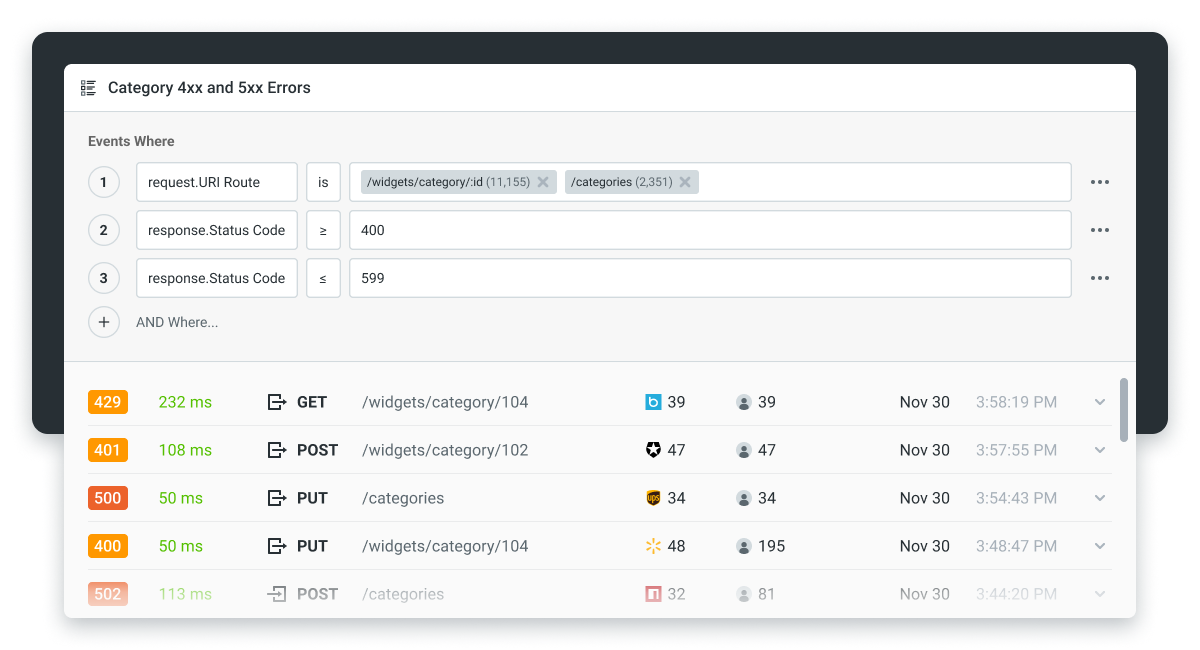
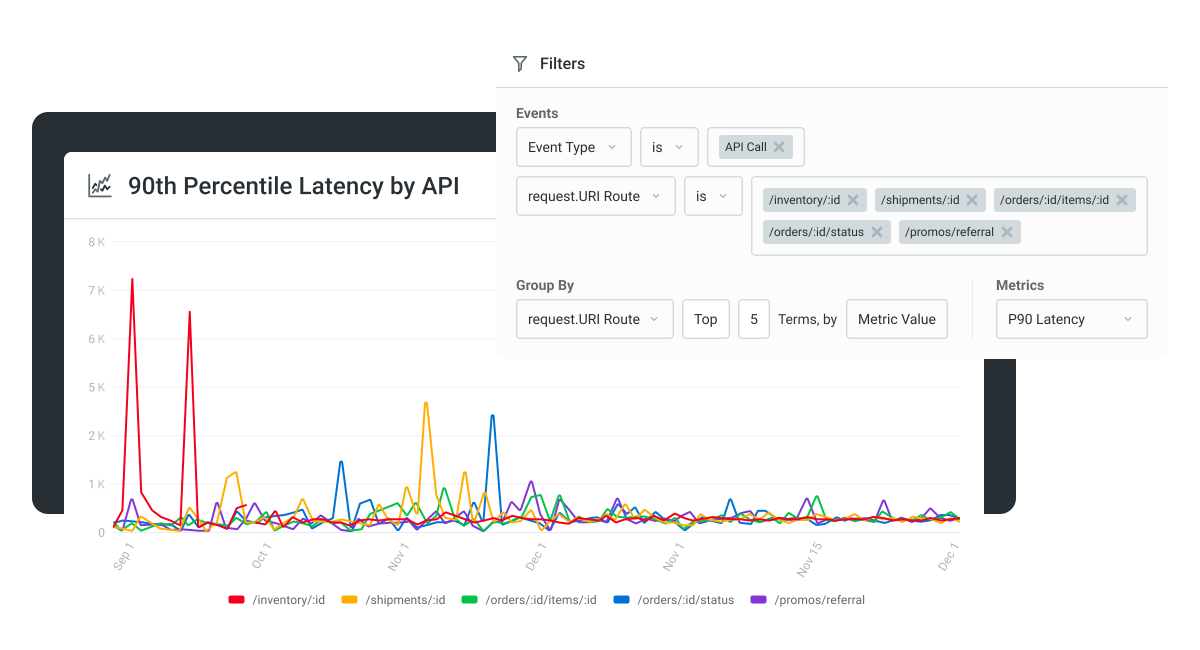
Moesif API monitoring integrates with FastAPI through a middleware SDK and provides per-endpoint, per-customer, payload-level analytics. The data feeds back into product and platform decisions: which customers to support more closely, which endpoints to deprecate, which integrations are stalling at first-call.
For AI/MCP traffic specifically, the WSO2 AI Gateway auto-generates an MCP server from your FastAPI app’s OpenAPI spec, so the same endpoints become agent-consumable without a separate build. The MCP and LLM proxy components inside the AI Gateway handle inbound agent calls and outbound LLM calls respectively.
Next steps
A working Python REST API in 2026 is the FastAPI tutorial above plus three production layers: an API gateway, an authentication scheme, and an observability stack. The framework is the easy part. The platform around it is where most teams underinvest and end up paying for it later.
If you want to see per-endpoint, per-customer analytics on your own Python API within an hour of integrating, start a 14-day Moesif free trial. No credit card required.
Frequently asked questions
How do you create a REST API in Python? Install FastAPI (pip install "fastapi[standard]"), create an app = FastAPI() instance in a main.py file, define route handlers with @app.get, @app.post, @app.put, @app.delete decorators, run fastapi dev main.py. Verify the API at http://127.0.0.1:8000/docs.
Can you build a REST API with Python? Yes, and Python is one of the most common languages for it in 2026. The dominant framework choices are FastAPI for new APIs, Flask for small services, and Django REST Framework for existing Django applications.
How do I call a REST API in Python? Use the requests library for synchronous calls or httpx for async. Example: import requests; response = requests.get("https://api.example.com/orders/42"); print(response.json()).
Is FastAPI better than Flask for REST APIs? For new APIs, generally yes. FastAPI is async-native, type-safe, and auto-generates OpenAPI documentation. Flask is still excellent for small synchronous APIs and prototypes where you want minimal opinion.
What is the best Python framework for building REST APIs? FastAPI for new projects (currently the top-ranked Python web framework in the JetBrains survey). Django REST Framework if you are already on Django. Flask for small or prototype services. aiohttp for highly async-heavy or WebSocket-heavy applications.
How do I deploy a Python REST API? A managed platform (Vercel, Railway, Render, Fly.io) is the simplest. A container runtime (ECS, Cloud Run, Container Apps) is the standard for production at scale. FastAPI Cloud is a newer option built by the FastAPI team (private beta with a waitlist at fastapicloud.com at the time of writing).

Related Articles

API Strategy
Leveraging AI For a Better API Strategy
Learn how to leverage AI to build and fortify your API strategy. Improve design, governance, documentation, and align APIs with business outcomes.
API Strategy
The 5 Best Mixpanel Alternatives of 2025
Learn about the best Mixpanel alternatives to determine the right analytics solution for your use case.

API Development
How to Leverage Moesif Effectively for API Observability
Effectively leverage Moesif for API observability through best practices for integration, event enrichment, custom actions, and engineering workflow integrat...
API Strategy
How to Build an Internal Chargeback Model for Your API and AI Usage Using Moesif
Use Moesif to implement internal chargebacks and enable precise API and AI cost attribution for better transparency and resource optimization.