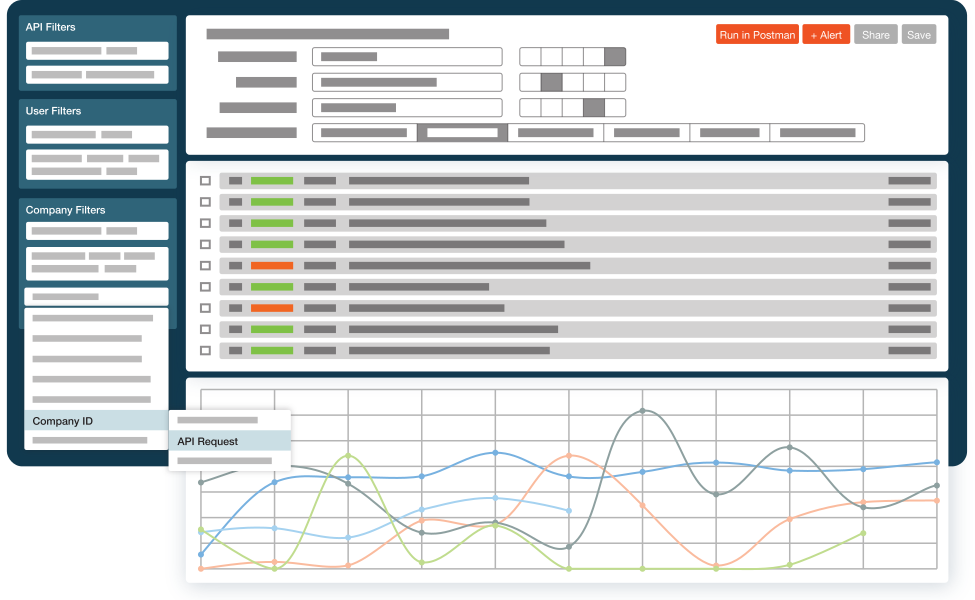
The 5 Best Mixpanel Alternatives of 2025
On November 9, 2025, Mixpanel suffered a security breach when an attacker gained unauthorized access to their systems through a smishing (SMS phishing) campaign. The breach resulted in customer data being exported, including names, email addresses, approximate locations, and analytics information. The fallout has been swift—OpenAI, one of Mixpanel’s high-profile customers, has already terminated their relationship with the platform and is conducting expanded security reviews across their entire vendor ecosystem.
While the breach specifically affected analytics data rather than core product systems, it’s a stark reminder that the tools we use to understand our users also become custodians of sensitive information. Trust, as OpenAI noted in their response, is foundational to the customer experience —and once it’s shaken, teams start looking for alternatives.
Even without this latest news as a factor, there are many other product analytics platforms available that go beyond the limitations and use cases of Mixpanel. While Mixpanel has become a popular tool for good reason—the platform is quite solid for the bulk of use cases—there are some advanced and specific use cases that lend themselves better to other platforms. For example, at Moesif we focus heavily on helping developer tools and platforms keep track of customer behavior beyond just what happens in the UI, looking at system-level events like API calls. For applications that rely on stuff outside of the UI to paint the full picture of a user’s journey, Mixpanel often comes up short.
In this post we’ll go over the top 5 Mixpanel alternatives for a wide assortment of use cases. Let’s get started by looking a bit further at Mixpanel, its key features, and where it excels before digging into other options.
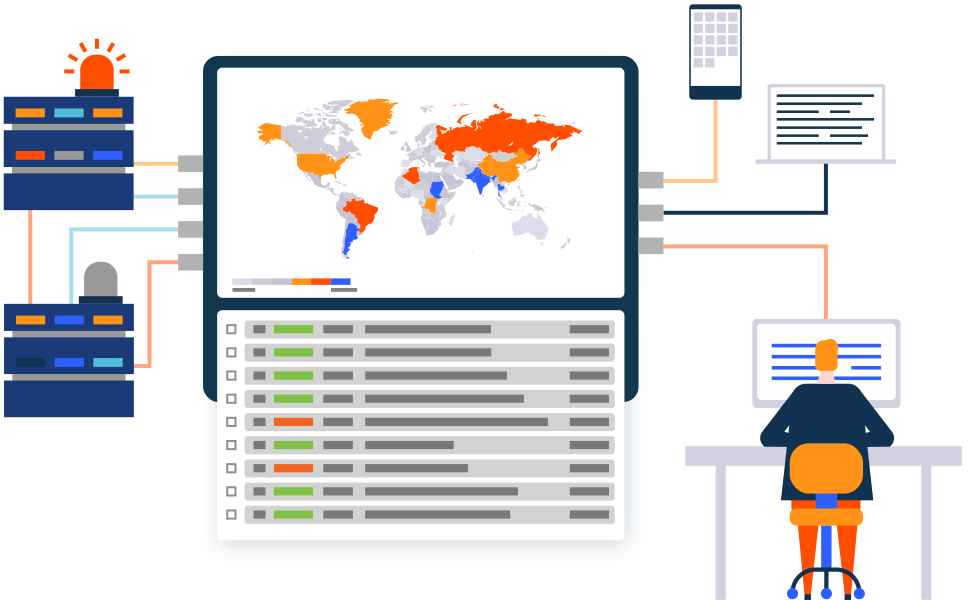
What is Mixpanel?
Mixpanel is a powerful product analytics tool that allows companies to track user behavior within web and mobile applications. Unlike traditional analytics tools that focus on page views (like Google Analytics used to), Mixpanel pioneered the event-based tracking model. This means instead of just knowing someone visited a page, you know they “clicked a button,” “watched a video,” or “added an item to cart.” Having this level of insight is critical for modern applications and websites where knowing deeper insights on how users are interacting and converting matters.
As one of the early platforms in the space, Mixpanel has been a go-to solution for product managers and marketers for years because of its ability to create complex funnels, retention cohorts, and segmentation reports. It helps teams answer questions like, “Do users who watch the onboarding video retain longer than those who don’t?” or “Where are users dropping off in the signup flow?”—areas where earlier generations of tools were not able to really give much insight.
Understanding Mixpanel Limitations
While Mixpanel is a giant in the industry, it isn’t without its flaws and limitations. Although many teams get up and running quickly on the platform, a few items get teams looking for an alternative when the quantitative and qualitative data offered by Mixpanel isn’t quite enough. Here are the main structural and functional limitations that drive teams to look beyond Mixpanel:
Developer Blind Spots
Mixpanel is great for UI interactions, but it often misses the “invisible” events that happen at the API or system level. For developer-first products, the real story happens in the code, not just the clicks. When a developer integrates your API, Mixpanel might show you they visited your docs and clicked around your dashboard. But did they successfully make their first API call? How long did it take? What errors did they hit? These questions go unanswered.
Manual Event Tracking Creates Technical Debt
Manual tracking implementation is perhaps Mixpanel’s most significant structural limitation. Upon implementation, you need to make your best guess about which user events matter the most, then have an engineer configure it all. If you change your mind or want to track additional events later, you’ll have to set them up again and risk ending up with inconsistent (and thus difficult to use) data.
The practical impact is that you can’t access historical data on events you didn’t set up to track from the beginning. By the time you discover that a particular action is important, it’s too late to collect data on it. Any historical insight is lost forever.
Funnel Report Inconsistencies
Users frequently report that Mixpanel’s funnel reports can give inconsistent starting values—the same event showing different numbers in a funnel report versus a metrics report. This leads to data discrepancies that erode trust in the insights you’re generating. When your team starts questioning whether the numbers are accurate, the tool stops being useful for decision-making.
Scalability Constraints
Mixpanel becomes less effective as organizations scale, largely because of how data gets accessed. Since collecting event data is manual, data often becomes siloed and only accessed by the individual who set it up. The lack of a centralized place to process, store, and maintain governance makes it harder for teams to work together on large-scale data projects. What starts as a single source of truth becomes fragmented tribal knowledge.
Cost at Scale
Mixpanel’s pricing model is based on Monthly Tracked Users (MTUs) or event volume. As your product grows, costs can increase significantly. This creates an uncomfortable dynamic where success is punished—the more users you have, the more you pay, often at rates that outpace the additional value you’re extracting from the platform.
Data Governance and Privacy
As highlighted by the November 2025 breach, trusting a third-party vendor with deep, identifiable user data requires robust security assurance. For organizations with strict data residency requirements (like GDPR in Europe) or compliance needs (HIPAA, SOC 2), relying on a US-centric cloud platform introduces complexity. Some alternatives offer self-hosting options that eliminate this concern entirely.
What to Look for in a Mixpanel Alternative
When shopping for an alternative, you shouldn’t just look for a clone. You should look for platforms that solve the specific problems Mixpanel creates or ignores. Here’s what separates the best modern alternatives from the pack:
Autocapture vs. Manual Tagging
Some tools record every user interaction automatically from day one. You don’t need to define events upfront; you can define them retroactively when you need the data. This eliminates the “I wish we’d been tracking that” problem entirely, especially for non technical users .
API and System Visibility
For SaaS and developer platforms, you need to see API usage, latency, and errors alongside user behavior. If your product has significant functionality that happens outside the browser—through APIs, SDKs, or background processes—UI-only analytics will always give you an incomplete picture. API analytics provides the visibility that traditional product analytics tools miss.
Self-Hosting and Open Source Options
For strict compliance needs, the ability to host the analytics stack on your own servers is a game-changer. It’s also a hedge against exactly the kind of third-party breach that just affected Mixpanel’s customers.
Integrated Actionability
The best tools don’t just show you data; they let you act on it. This might mean triggering an email when a user hits a specific error, alerting sales when a customer’s usage suggests they’re ready to upgrade, or even connecting usage data directly to billing systems.
Reasonable Pricing at Scale
Look for pricing models that scale predictably with your growth. Some platforms offer volume discounts that actually make the per-event cost decrease as you scale, rather than punishing you for success.
Measuring Success with Analytics
Switching tools is also a great time to audit how you measure success. A common trap is tracking “vanity metrics”. These are numbers that look good in dashboards but don’t actually correlate with business outcomes. Total page views, raw session counts, and feature usage without context all fall into this category.
Instead, focus on metrics that align with your specific business model:
Retention Rate: Are users coming back after Day 1, Day 7, or Day 30? Retention is the clearest signal of whether your product delivers ongoing value.
Time to Value (TTV): How quickly does a new user get to their first “Aha!” moment? For developer products, this is often called “Time to First Hello World”—the interval between signup and successful first API call.
Feature Adoption: Are people actually using that new feature you spent months building? And more importantly, do users who adopt that feature retain better than those who don’t?
API Usage and Health: For developer tools, success might look like a high volume of successful API calls, low error rates, and acceptable latency. These API metrics are invisible to UI-focused analytics tools.
Revenue Attribution: Can you connect specific user behaviors to revenue outcomes? This is where analytics moves from interesting to actionable.
The focus should be on which metrics really matter to your core business. If you’re a blog site that gets paid for views then maybe high-level metrics like page visits are okay, but if your website is there to drive leads for your product, you’ll obviously want to look much deeper.
Common Mistakes in Analytics
At Moesif, we’ve seen almost everything when it comes to analytics, including mistakes that many teams make when implementing and analyzing them. Before diving into specific tools, here are a few pitfalls to avoid regardless of which platform you choose:
Tracking Everything Immediately: Don’t try to instrument every possible interaction on day one. You’ll end up with a cluttered dashboard that no one uses and event names that are inconsistent. Start with your core KPIs and expand thoughtfully.
Ignoring Data Governance: Bad data in means bad insights out. Establish naming conventions for events early and enforce them ruthlessly. Mixing “Sign Up” with “signup_clicked” with “user_signup_complete” makes analysis painful. Consistency is key.
Siloing Analytics Data: Analytics shouldn’t live in a vacuum. Your product data should ideally connect to your CRM, marketing tools, and support desk to give a 360-degree view of the customer. Look for platforms with support for these types of integrations.
Confusing Correlation with Causation: Just because users who use Feature X retain longer doesn’t mean Feature X causes retention. It might just be that power users tend to use every feature. Be careful about determining causality, especially when making product decisions based on analytics insights.
This covers the main areas where we tend to see folks struggle when implementing and leveraging analytics. Luckily, many of the best platforms help to enforce best practices and make many of these challenges obsolete (or close to it). Next, let’s look at some of the best Mixpanel alternatives for you to check out.
Top 5 Mixpanel Alternatives
Now that we’ve established what to look for, let’s dig into the specific platforms. Each of these serves different use cases and team profiles, so the “best” choice depends heavily on what you’re building and who your users are.

Moesif
Best for: API-first products, developer platforms, AI/ML companies, and B2B SaaS where value extends beyond the UI.
Moesif takes a fundamentally different approach than Mixpanel. While Mixpanel and most alternatives focus on what happens in your UI—button clicks, page views, form submissions—Moesif focuses on what happens at the infrastructure level. For developer tools, AI platforms, and API-first products, this is the difference between seeing shadows on the wall and understanding actual system behavior.
Why API-Level Visibility Matters
Consider a developer integrating your API. In Mixpanel, you might see they visited your docs, maybe clicked around your dashboard, perhaps downloaded an SDK. But the critical questions remain unanswered: Did they successfully make their first API call? How long did integration take? What errors did they encounter? What endpoints are they actually using versus what you expected?
This is the “Time to First Hello World” problem—the single most important metric for developer products, and one that UI-focused tools simply cannot capture. Moesif tracks the complete developer journey: from first documentation visit, through authentication setup, to first successful API call, and onward to how usage patterns evolve over time.
Payload-Level Analytics
Moesif can inspect API request and response bodies (with appropriate privacy controls), enabling analysis that’s impossible with standard UI tracking. Want to know how many tokens your AI customers are consuming? Which specific fields in your API response are actually being used? Whether customers are sending malformed requests that your documentation doesn’t address?
This payload visibility lets you answer product questions that would require custom instrumentation and engineering work in any UI-focused tool. You can segment and aggregate by URI, HTTP headers, body fields, or customer demographics—giving you the full picture of how your API is actually being used in the wild. Moesif integrates with major API gateways including Kong, AWS API Gateway, Azure APIM, and NGINX, so you can get visibility regardless of your infrastructure choices.
Monetization Built In
For API businesses moving to usage-based pricing (and in 2025, that’s most of them), Moesif connects usage data directly to billing. You can meter any usage metric—API transactions, feature utilization, unique users, even custom outcomes—and implement prepaid, postpaid, or pay-as-you-go models with a few clicks. Companies like You.com have used Moesif to launch usage-based billing for their AI APIs in days rather than months.
The platform integrates with billing providers like Stripe for automatic invoicing, which means usage-based pricing doesn’t require building custom billing infrastructure. For AI companies charging by token, API platforms charging by call volume, or SaaS products implementing consumption-based models, this is transformative.
Debug and Support Use Cases
When a customer reports an issue, your support team can see their exact API call history, including the specific errors they encountered, the payloads they sent, and the responses they received. This makes Moesif valuable beyond product management—engineering and support teams use it as a debugging and observability tool.
You can also set up alerts for specific error conditions, identify customers who are struggling with integration, and automate outreach based on usage patterns. The platform bridges the gap between observability (what’s happening in your system) and customer success (what should we do about it).
Key Features
- API and Payload Analytics: Inspect request/response bodies to track specific usage metrics impossible with UI tracking
- Developer Journey Tracking: See the complete path from docs visit to first API call to scaled usage
- Usage-Based Billing: Connect usage data directly to Stripe, Chargebee, or Zuora for automated invoicing
- Time to First Hello World: Track the metric that matters most for developer products
- Customer Health Dashboards: Identify at-risk customers, upsell opportunities, and integration problems
- Self-Serve Reporting: Empower product, engineering, and support teams without bottlenecking on BI
Considerations
Moesif is purpose-built for API-first products. If your entire user experience happens in a browser UI with no meaningful API or system-level activity, traditional product analytics tools may serve you better. The platform’s strength is its depth in infrastructure-level visibility—if that’s not where your product’s value is delivered, you likely won’t fully leverage what Moesif offers.
Pricing
Moesif offers a free tier, with paid plans based on event volume. Pricing scales with committed volume (higher tiers get better per-event rates), and all paid plans include 1 year of data retention. Enterprise plans offer custom retention and additional security features.

Amplitude
Best for: Large consumer (B2C) products and traditional product management teams who want the most direct Mixpanel replacement.
Amplitude is frequently cited as the most direct competitor to Mixpanel, and for good reason. There’s substantial overlap in capabilities—funnels, retention charts, path analysis, cohort comparisons. If you’re comfortable with Mixpanel’s paradigm but frustrated with execution issues, Amplitude is the obvious evaluation.
Where Amplitude Excels
Amplitude shines with advanced visualization capabilities and its “Compass” feature, which helps identify behaviors that correlate with long-term retention. For product teams trying to answer “what actions predict whether a user will stick around?”, Compass automates the correlation analysis that would otherwise require manual hypothesis testing.
The platform also excels at cross-platform tracking—stitching together web and mobile user journeys into a unified view. For consumer apps where users bounce between devices, this continuity matters. Amplitude handles the identity resolution challenges better than most alternatives.
Amplitude has also invested heavily in AI capabilities and feature management tools that Mixpanel lacks. You can get predictive analytics about user behavior and manage feature rollouts from the same platform, reducing tool sprawl.
The Same Core Limitation
Here’s the honest truth: Amplitude improves on Mixpanel’s execution but doesn’t fundamentally change the paradigm. You’ll still need to decide which events to track upfront, and you’ll still need engineering resources to configure that tracking. If you change your mind later, you’ll still have gaps in historical data.
The platform offers more flexibility in visualization and analysis than Mixpanel, but the underlying architecture—manual event definition, no autocapture, no retroactive analysis—remains the same. Amplitude is a better tool for the same approach, not a fundamentally different approach.
Some non-analyst users also find Amplitude frustrating despite its self-serve positioning. While there are plenty of options for slicing and dicing data, the sheer number of features can overwhelm teams who just want straightforward answers.
Key Features
- Product Analytics: Funnels, retention, path analysis with more visualization flexibility than Mixpanel
- Compass: Automated correlation analysis to identify behaviors that predict retention
- Cross-Platform Tracking: Unified view of users across web, mobile, and other touchpoints
- AI-Powered Insights: Predictive analytics and anomaly detection
- Feature Management: Built-in feature flags and experimentation (newer addition)
- Self-Serve Reporting: Designed for product teams to explore data independently
Considerations
Amplitude’s manual event tracking means you’ll face the same “I wish we’d tracked that” moments as Mixpanel. The platform also offers limited connectivity with some data warehouses compared to alternatives, which can be a constraint if your analytics strategy depends on data warehouse integration.
For teams that need API-level visibility, system event tracking, or usage-based monetization, Amplitude won’t fill those gaps—it’s focused squarely on UI-level product analytics.
Pricing
Amplitude offers a generous free tier (up to 50,000 monthly tracked users), which is often enough for early-stage startups. The Plus tier starts at $49/month for up to 300,000 users. Growth and Enterprise tiers have custom pricing with additional features and support.

PostHog
Best for: Engineering-led teams, companies with strict data privacy requirements, and those wanting an all-in-one open-source solution.
PostHog has gained massive traction by taking a fundamentally different approach to the analytics market: open source first, self-hosting as a core option, and bundling multiple tools into a single platform. In the wake of the Mixpanel breach, PostHog’s model looks increasingly attractive.
The Open Source Advantage
PostHog’s code is open source and can be self-hosted on your own infrastructure. This isn’t just a philosophical stance—it has practical implications for security and compliance. When you self-host, your analytics data never leaves your systems. There’s no third-party breach risk because there’s no third party holding your data.
For companies with strict data privacy requirements (HIPAA, GDPR, SOC 2), self-hosting eliminates an entire category of compliance complexity. You’re not evaluating whether your analytics vendor’s security posture meets your requirements; you’re applying your own security posture to your own infrastructure.
Even if you use PostHog’s cloud offering, the transparency of open-source code means you can audit exactly what data is being collected and how it’s being processed. There’s no black box.
The All-in-One Bundle
PostHog isn’t just analytics—it bundles session recording, feature flags, A/B testing, and surveys into a single platform. This reduces tool sprawl and creates tighter integration between capabilities. Want to see session recordings for users who dropped off at a specific funnel step? You can do that without exporting data between tools.
Feature flags in particular are well-integrated. You can target experiments to specific cohorts identified through your analytics data, measure the impact directly in the same platform, and roll out successful variants without context-switching.
Developer-Friendly Implementation
PostHog is designed for technical teams. The documentation is excellent, the API is well-designed, and the community (largely composed of engineers) provides solid support. If your team is comfortable working with code and infrastructure, PostHog’s implementation will feel natural.
The platform also captures some events automatically out of the box, reducing (though not eliminating) the manual tagging burden.
Key Features
- Product Analytics: Event tracking, funnels, retention, paths, trends—the core product analytics toolkit
- Session Recording: Watch how users interact with your product without a separate tool
- Feature Flags: Roll out features gradually and target specific user segments
- A/B Testing: Built-in experimentation framework connected to your analytics data
- Surveys: Collect qualitative feedback alongside quantitative data
- Self-Hosting: Run PostHog on your own infrastructure for complete data control
Considerations
The breadth of PostHog’s feature set creates a learning curve. Users consistently mention that the platform can feel overwhelming initially, especially for less technical team members. You’ll want dedicated time for onboarding and setup.
The free tier also has limited data retention (1 month in some modules), which constrains historical analysis if you’re not on a paid plan. And while PostHog is more developer-friendly than alternatives, it still requires technical resources to fully implement and maintain.
For API-level analytics and usage-based monetization, PostHog doesn’t offer the same depth as Moesif. Its strength is in UI-level product analytics with the added benefits of open source and self-hosting, making it a robust analytics solution .
Pricing
PostHog offers a generous free tier with usage-based pricing beyond that. The pricing is transparent and published—no “contact sales for pricing” opaqueness. Self-hosted deployments can reduce costs further since you’re paying only for infrastructure rather than per-event fees.

Heap
Best for: Non-technical product teams who need autocapture simplicity and the ability to analyze events retroactively.
Heap’s core selling point directly addresses Mixpanel’s most painful limitation: manual event tracking. With Heap, you don’t decide which events to track upfront. The platform records everything—every click, swipe, form submission, and page view—automatically from the moment you install it.
The Power of Retroactive Analysis
This autocapture approach enables something genuinely transformative: retroactive analysis. Suppose your team decides, six months into using Heap, that you want to understand how users interact with a specific button that was never tagged in your Mixpanel setup. In Mixpanel, that data doesn’t exist. In Heap, you define the event now and instantly see six months of historical data for it.
The practical impact is huge. Product teams can explore hypotheses about user behavior without waiting for engineering to instrument new events. Questions that would require “let’s add tracking and wait a few weeks for data” become immediately answerable. This changes the speed at which you can learn from your users.
Lower Engineering Burden
Because Heap captures everything automatically, the implementation burden shifts dramatically. You’re not maintaining a complex tagging plan, not filing tickets for engineering to add new events, not discovering months later that someone misspelled an event name. The platform handles data collection; your team focuses on analysis.
This makes Heap particularly attractive for product and marketing teams who don’t have dedicated engineering resources for analytics instrumentation. You install a snippet, wait for data to accumulate, and start analyzing.
The Scale Trade-off
Heap’s autocapture approach has a downside: at high scale, it can capture more data than you need, making it harder to find signals in the noise. Sites with millions of weekly visitors may need to configure limits on data capture to avoid overwhelming the system and the analysts trying to use it.
There’s also a discoverability challenge. When everything is captured but nothing is explicitly defined, finding the specific interactions you care about requires more exploration than in a well-organized manual tagging system. Some teams find this liberating; others find it chaotic.
Key Features
- Autocapture: Every user interaction recorded automatically from day one
- Retroactive Analysis: Define events now, analyze historical data immediately
- Segmentation: Create cohorts based on behavior and integrate with marketing tools
- Session Replay: Built-in session recording to see exactly how users interact
- AI Features: Heap’s CoPilot can answer questions about your data in natural language
- Integrations: Connect to Salesforce, Marketo, Shopify, and major data warehouses
Considerations
Autocapture is a different philosophy, not an objectively better one. Some teams prefer the discipline of explicit event definitions—it forces clarity about what you’re measuring and why. Heap’s approach can lead to data sprawl if you’re not thoughtful about how you organize and name your retroactively-defined events.
For API-level visibility and system events, Heap won’t help—it’s focused entirely on UI interactions. And like most alternatives, it doesn’t offer the usage-based monetization capabilities that API businesses need.
Pricing
Heap offers four plans with pricing available on request: Free, Growth, Pro, and Premier. The free tier provides a starting point, but access to advanced features and longer data retention requires paid plans.

Google Analytics (GA4)
Best for: Marketing teams focused on acquisition, traffic analysis, and ad attribution. Complement to (not replacement for) product analytics.
Google Analytics is ubiquitous—most websites have it installed by default as it is a core component in most marketing analytics stacks. But it’s important to understand what GA4 is and isn’t, especially in the context of customer journey analytics . It’s primarily a web analytics platform focused on acquisition: where visitors come from, how they find you, and top-level engagement metrics. It is not a product analytics tool in the same sense as Mixpanel.
Where GA4 Excels
For understanding traffic sources, GA4 is unbeatable. Which campaigns are driving visitors? Which organic keywords are performing? How does paid versus organic acquisition compare? These are GA4’s core strengths, and the integration with Google Ads makes attribution for paid campaigns seamless.
GA4 has moved toward an event-based model (a significant change from Universal Analytics), which brings it closer to product analytics territory. You can track custom events and create conversion goals. For marketing websites and content sites where the primary goal is lead generation, GA4 often provides enough insight without additional tools.
It’s also free, which matters. For early-stage companies or marketing teams with limited budgets, GA4 provides solid foundational data at no cost.
Where GA4 Falls Short
Google Analytics users usually find out quickly that GA4 struggles with user identity. Linking visits from different devices and sessions to a single person requires workarounds, and the platform is built around aggregate analysis rather than individual user journeys. If your goal is understanding how specific users move through your product, GA4 will frustrate you.
Custom event tracking requires Google Tag Manager, adding implementation complexity. The data model, while improved, still feels designed for websites rather than applications. And the interface, while familiar, can be confusing—Google has a history of sunsetting and restructuring Analytics products, which creates learning curve churn.
Perhaps most importantly for this comparison: GA4 has no API-level visibility, no autocapture beyond basic page views, limited session replay capabilities, and no built-in experimentation. It’s a different tool for a different purpose.
Key Features
- Traffic Analysis: Detailed acquisition metrics, source/medium tracking, campaign attribution
- Google Ads Integration: Seamless connection between ad spend and on-site behavior
- Event Tracking: Custom events via Google Tag Manager
- Audience Segmentation: Create audiences for remarketing and analysis
- Free Tier: Full-featured analytics at no cost
- Real-Time Data: See active users and their behavior as it happens
Considerations
Data privacy is a concern with GA4. Google’s data practices have raised compliance questions in Europe, and using GA4 typically requires cookie consent banners that can disrupt user experience. For companies where GDPR compliance is critical, this adds friction.
The paid version (GA360) starts at $50,000/year—far more expensive than dedicated product analytics tools that offer deeper capabilities. At that price point, you’d get significantly more value from a platform built for product analytics rather than an enterprise version of a marketing tool.
Positioning
GA4 is best understood as a complement to product analytics, not a replacement. Use GA4 for acquisition metrics, traffic analysis, and marketing attribution. Use a dedicated product analytics tool for understanding how users engage with your product after they arrive.
Most mature analytics stacks include both.
Comparison Summary
| Platform | Best For | Key Differentiator | Limitation |
|---|---|---|---|
| Moesif | API-first products, developer platforms | API/payload-level analytics, usage-based monetization | Less suited for pure UI products |
| Amplitude | Traditional product analytics | Direct Mixpanel competitor with better execution | Still requires manual event tracking |
| PostHog | Engineering teams, privacy-conscious orgs | Open source, self-hosting option, all-in-one bundle | Learning curve, technical implementation |
| Heap | Non-technical teams | Autocapture, retroactive analysis | Can be overwhelming at scale |
| Google Analytics | Marketing teams | Free, excellent traffic/acquisition analysis | Not true product analytics |
Conclusion
The recent Mixpanel breach is a reminder that the tools we rely on aren’t infallible. Whether you’re evaluating alternatives due to security concerns, cost pressures, or because you’ve outgrown Mixpanel’s UI-centric focus, 2025 offers strong options: Amplitude and Heap for traditional product analytics, PostHog for open-source flexibility and self-hosting, and Google Analytics for acquisition metrics.
But if you’re building an API platform, AI service, or developer tool—where the real user journey happens in code rather than clicks—UI-focused analytics will always leave you blind to what matters most. First API call, integration completion, error resolution, usage scaling: these moments happen outside the browser.
Start a free trial with Moesif to see what API-level visibility looks like. No credit card required.
 See What Mixpanel Misses: Track the Full API Journey
14 day free trial. No credit card required.
Try for Free
See What Mixpanel Misses: Track the Full API Journey
14 day free trial. No credit card required.
Try for Free

Related Articles

API Development
How to Leverage Moesif Effectively for API Observability
Effectively leverage Moesif for API observability through best practices for integration, event enrichment, custom actions, and engineering workflow integrat...

API Strategy
How to Build an Internal Chargeback Model for Your API and AI Usage Using Moesif
Use Moesif to implement internal chargebacks and enable precise API and AI cost attribution for better transparency and resource optimization.
API Development
Introducing Moesif Basic Insights for WSO2 API Manager (APIM) and Bijira
Announcing Moesif Basic Insights for WSO2 API Manager and Bijira—a free, integrated, and AI-ready API analytics solution in WSO2.

API Strategy
How to Best Plan Usage-Based Pricing For AI Agents
A strategic guide to usage-based pricing for AI agents using Moesif. It covers challenges, billing meter design, and strategies for fairness and predictabili...